zhangthexiaoning/cc-remote-server
Multi‑user remote web UI to share and manage Claude Code sessions and terminals on your machines
5.3K
zhangthexiaoning/cc-remote-server repository overview
Claude Code Remote Server
Remotely control Claude Code on any PC from your phone or browser.
Overview
Claude Code Remote Server is the core server component of the Claude Code Remote project, providing:
- User authentication and authorization (JWT)
- Connection management for PC agents
- Real-time communication relay for web clients
- Multi-user and multi-machine management
Screenshots
| Login | Machine List | Machine Search |
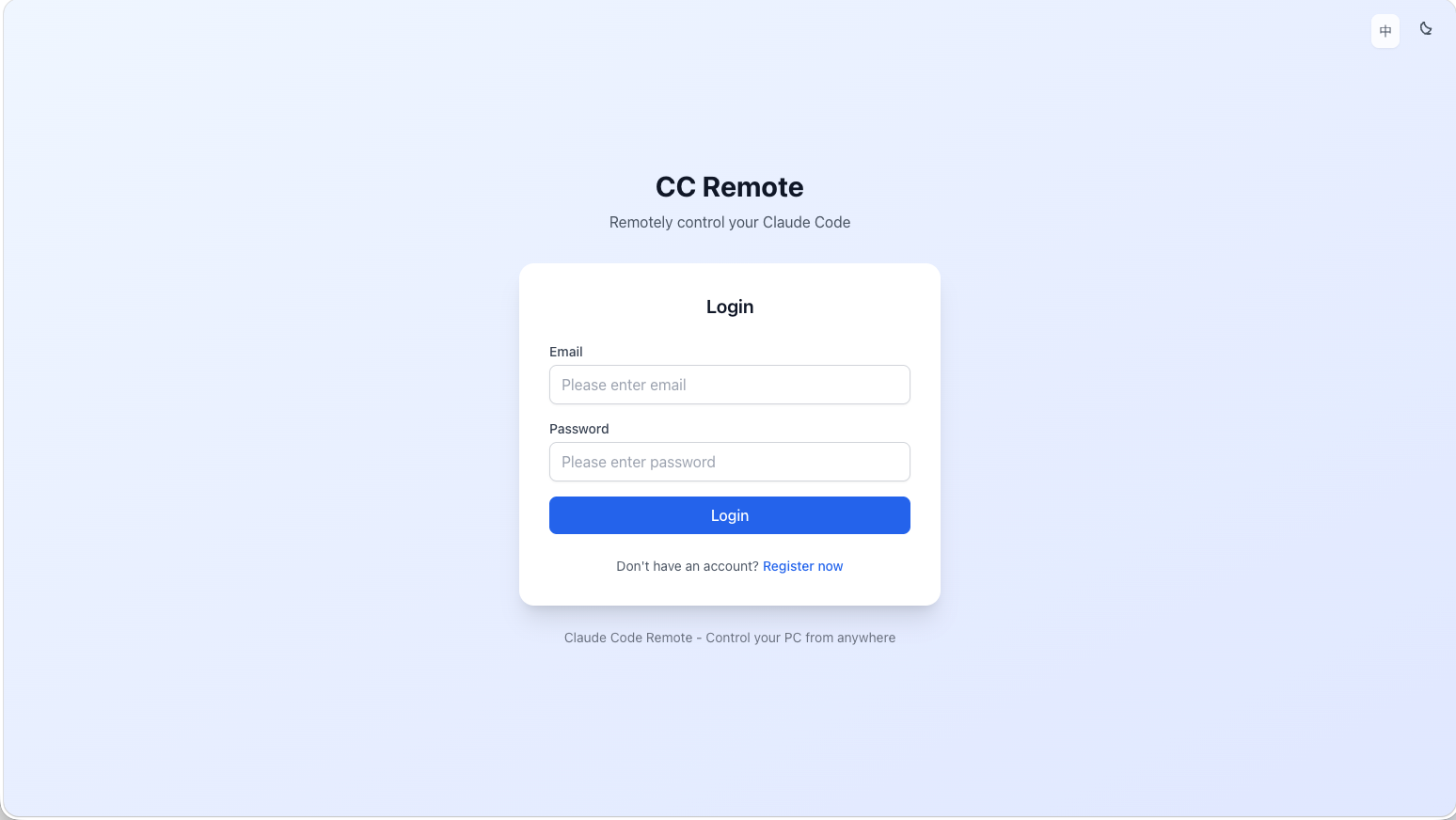 | 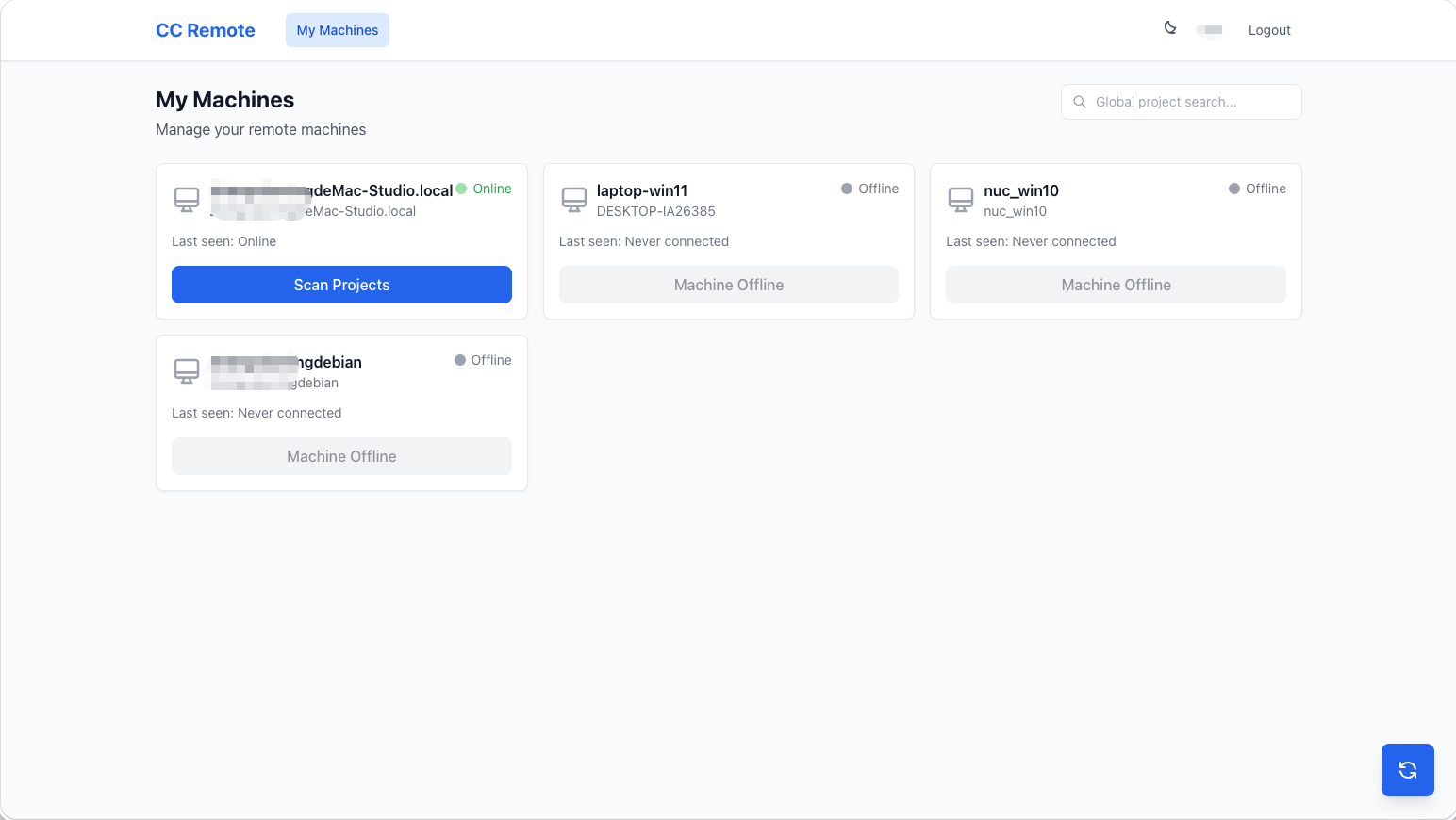 | 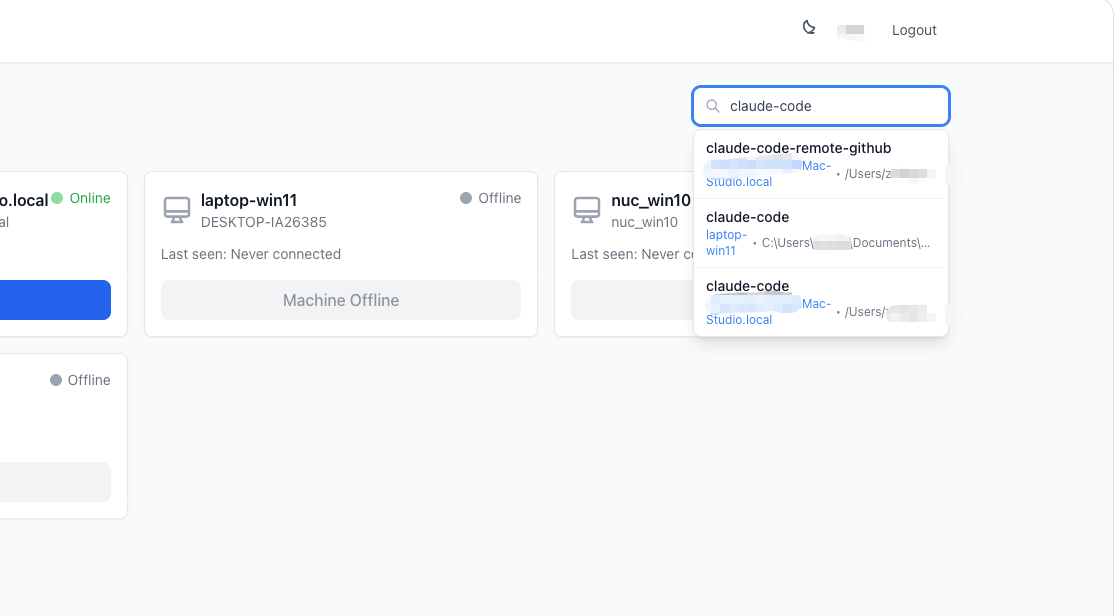 |
| Project List | Chat Mode | Terminal Mode |
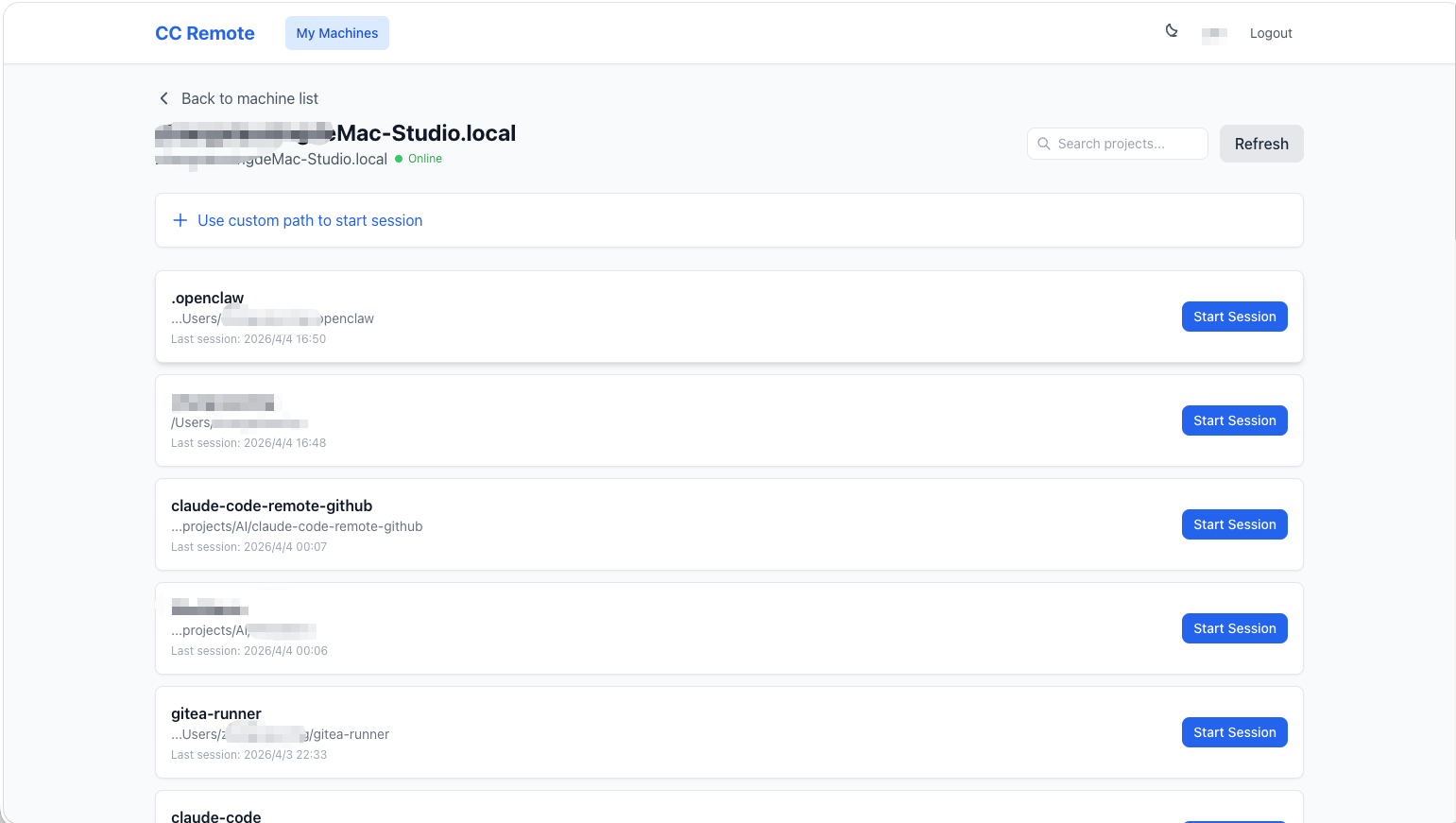 | 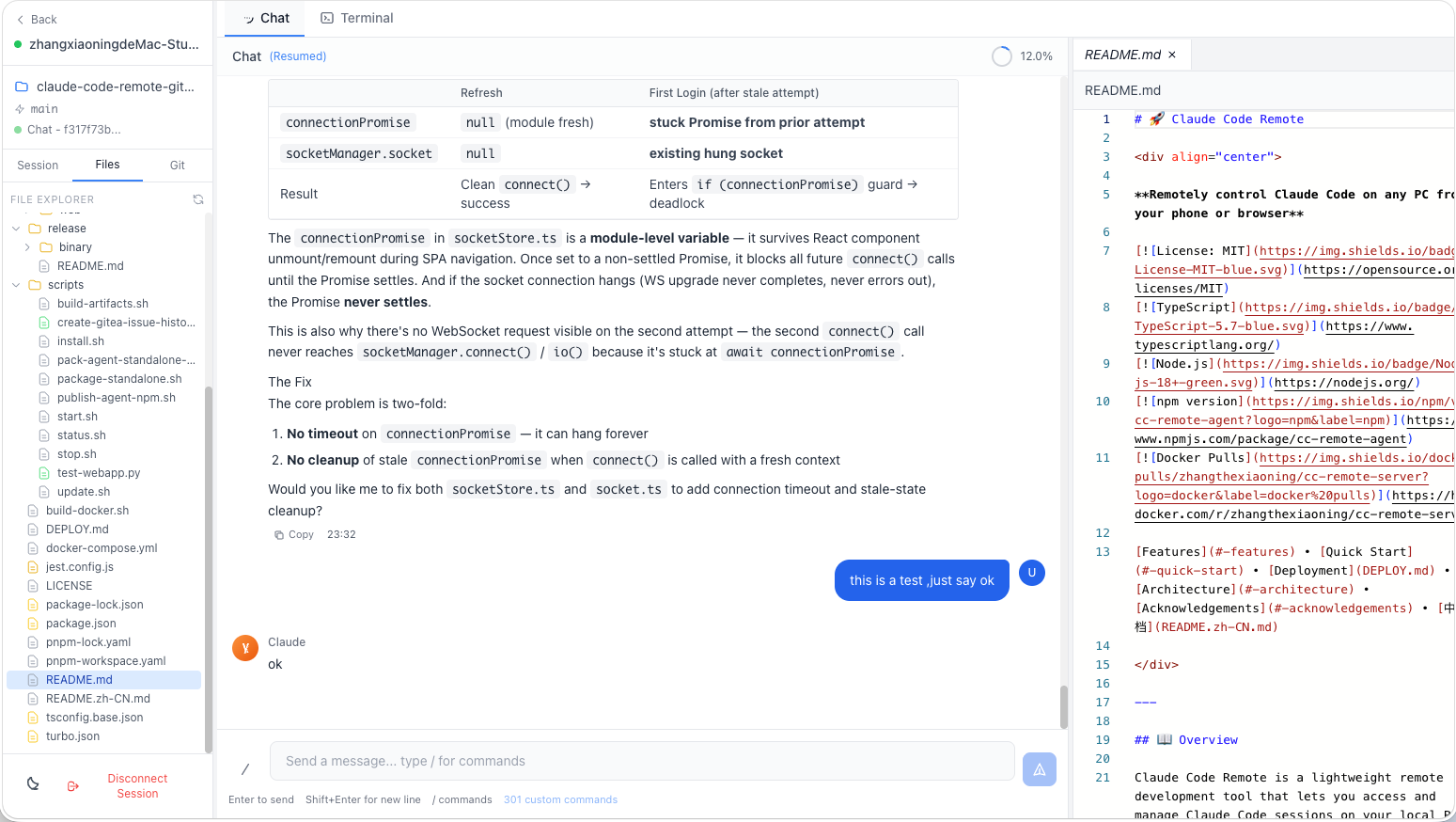 | 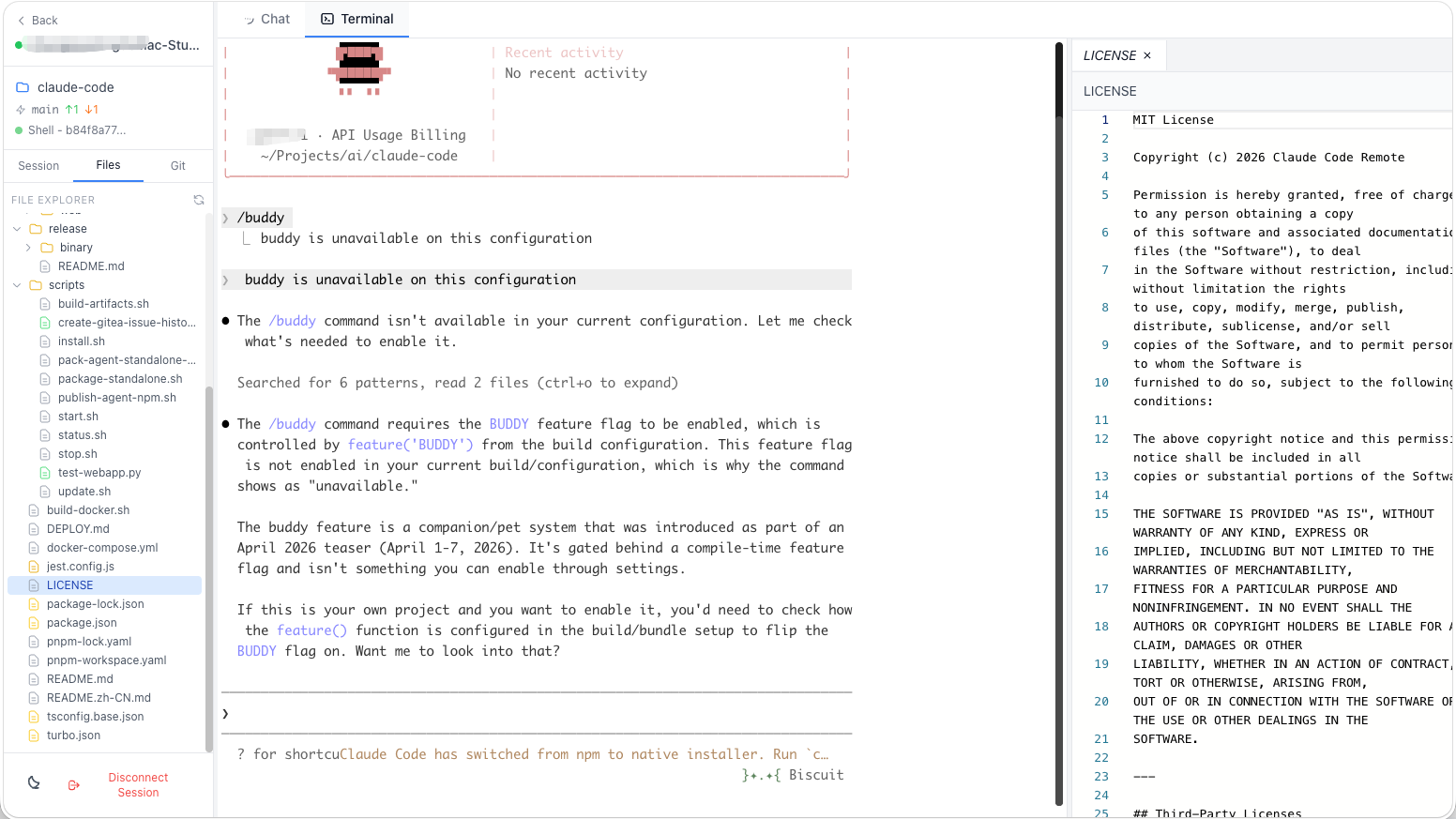 |
| Session History | ||
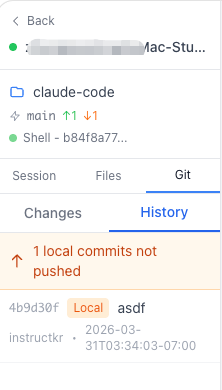 |
v1.1.2 Release Notes
bugfix:
- Fixed deprecated
actions/upload-artifact@v3andactions/download-artifact@v3in CI workflow (updated to v4) - Fixed GitHub Release creation failure — added
contents: writepermission to workflow - Cleaned up publish-npm job — removed debug steps and version override hack
v1.1.1 Release Notes
feature:
- Internationalization (i18n) support — Chinese/English bilingual UI
- Simplified Agent documentation, promoting interactive one-command startup
- Agent supports
--config-dirparameter for running multiple instances
bugfix:
- Removed all debug logs from ChatStore to avoid console pollution
- Fixed tablet layout deadzone where bottom navigation bar was invisible and inaccessible
- Fixed duplicate SESSION_STARTED events when loading historical sessions
- Fixed iOS Safari auto-zoom issue when focusing on input fields
v1.0.14 Release Notes
feature:
- Multi-tab editor: Support opening multiple files simultaneously with scrollable tabs and close-all option
- Draggable panel resizing in desktop mode (sidebar and editor panels)
- Global project search on machine/project list pages with direct session access
- Project list sorted by most recent session time
- Session selection list on narrow screens after project selection
- Custom path input for starting new sessions
- Workspace back button returns to project list (instead of machine list)
- Git history distinguishes pushed/unpushed commits with different colors
- Real-time context token/message count display
- Custom slash commands are inserted into input box instead of being sent directly
bugfix:
- Properly clear file editor state when switching sessions
- Fixed context display always showing 0
- Fixed compilation error from leaveSession using old editor properties
v1.0.13 Release Notes (2025-03)
feature:
- Added current Git branch display in the workspace sidebar
- Added issue records and helper script for the history ordering fix
bugfix:
- Fixed an issue where
/slash commands were not recognized in some scenarios - Fixed horizontal scrollbar issues on narrow screens
- Fixed message ordering issues between tool calls and text when loading history
Quick Start
docker run -d \
  --name cc-remote-server \
  -p 3000:3000 \
  -v cc-remote-data:/app/data \
  -e JWT_SECRET=your-super-secret-jwt-key \
  -e CORS_ORIGIN=https://your-web-domain.com \
  zhangthexiaoning/cc-remote-server:latest
After starting, visit http://localhost:3000/health to verify the service is running.
Environment Variables
| Variable | Description | Default | Required |
|---|---|---|---|
PORT | Server listening port | 3000 | No |
JWT_SECRET | JWT signing secret | - | Yes (production) |
JWT_EXPIRES_IN | Token validity period | 7d | No |
CORS_ORIGIN | Allowed frontend origin (CORS) | * | No |
DATABASE_URL | SQLite database path | file:./data/prod.db | No |
NODE_ENV | Runtime environment | production | No |
Environment Details
- JWT_SECRET: Must be set to a strong random string in production for JWT signing and verification
- CORS_ORIGIN: Set to your frontend's full URL if deploying separately (e.g.,
https://cc-remote.example.com) - DATABASE_URL: Uses SQLite inside container by default; mount data directory for persistence
Data Persistence
The image includes SQLite database. Mount the data directory for persistence:
docker run -d \
  --name cc-remote-server \
  -p 3000:3000 \
  -v /path/to/data:/app/data \
  -e JWT_SECRET=your-super-secret-jwt-key \
  zhangthexiaoning/cc-remote-server:latest
Or use Docker Volume:
docker volume create cc-remote-data

docker run -d \
  --name cc-remote-server \
  -p 3000:3000 \
  -v cc-remote-data:/app/data \
  -e JWT_SECRET=your-super-secret-jwt-key \
  zhangthexiaoning/cc-remote-server:latest
Docker Compose Example
services:
  cc-remote-server:
    image: zhangthexiaoning/cc-remote-server:latest
    container_name: cc-remote-server
    restart: unless-stopped
    ports:
      - "3000:3000"
    volumes:
      - cc-remote-data:/app/data
    environment:
      - PORT=3000
      - JWT_SECRET=your-super-secret-jwt-key-change-me
      - JWT_EXPIRES_IN=7d
      - CORS_ORIGIN=*
      - NODE_ENV=production

volumes:
  cc-remote-data:
Using with Agent
Install and start the Agent on the PC you want to control remotely:
npm install -g cc-remote-agent
cc-agent
On first run, you'll be guided interactively to enter server address, email, password, and machine name. Binding and connection are handled automatically.
cc-agent --status       # Check status
cc-agent --rebind       # Rebind machine
cc-agent --unbind       # Unbind machine
Architecture
┌─────────────┐          ┌──────────────┐          ┌─────────────┐
│ Client      │◄────────►│   Server     │◄────────►│ PC Agent    │
│ (Web/PWA)   │ Socket.io│ (This Image) │ Socket.io │             │
└─────────────┘   +JWT   └──────────────┘   +JWT   └─────────────┘
                               │
                               ▼
                        ┌──────────────┐
                        │   SQLite     │
                        │ (Users/Hosts)│
                        └──────────────┘
Server (this image) relays all communication between clients and agents. It does not execute code or access the file system directly.
Health Check
# HTTP health check
curl http://localhost:3000/health

# Docker health check
docker inspect --format='{{.State.Health.Status}}' cc-remote-server
Supported Platforms
linux/amd64linux/arm64
Image Tags
| Tag | Description |
|---|---|
latest | Latest stable release |
1.1.2 | Specific version |
1.1 | Major version |
Troubleshooting
Container Won't Start
# Check logs
docker logs cc-remote-server

# Check port usage
netstat -tlnp | grep 3000
Agent Connection Issues
- Ensure server is accessible from the internet
- Check if firewall allows the port
- Verify CORS_ORIGIN is configured correctly
Data Loss
Make sure the data directory /app/data is mounted.
Tech Stack
- Node.js 20
- Express
- Socket.io
- Prisma + SQLite
- JWT + bcrypt
License
MIT
Feedback
For questions or feedback, email: [email protected]
Claude Code Remote Server
从手机/浏览器远程控制任意 PC 上的 Claude Code。
简介
Claude Code Remote Server 是 Claude Code Remote 项目的核心服务端组件,提供:
- 用户认证与授权(JWT)
- PC 守护进程(Agent)的连接管理
- Web 客户端的实时通信中继
- 多用户、多机器管理
截图预览
| 登录页面 | 机器列表 | 机器搜索 |
| | |
| 项目列表 | 对话模式 | 终端模式 |
| | |
| 会话历史 | ||
|
v1.1.2 Release Notes
bugfix:
- 修复 CI 工作流中已废弃的
actions/upload-artifact@v3和actions/download-artifact@v3(更新至 v4) - 修复 GitHub Release 创建失败 — 添加
contents: write权限 - 清理 publish-npm 任务 — 移除调试步骤和版本覆盖 hack
v1.1.1 Release Notes
feature:
- 国际化 (i18n) 支持 - 中英文双语切换
- 简化 Agent 使用文档,首推交互式一键启动
- Agent 支持
--config-dir参数,可同时运行多个 Agent 实例
bugfix:
- 移除 ChatStore 中所有调试日志,避免控制台污染
- 修复 Tablet 区间布局死区,底部导航栏不可见导致无法操作
- 修复加载历史会话时 SESSION_STARTED 触发两次的问题
- 修复 iOS Safari 输入框聚焦时页面自动缩放的问题
v1.0.14 Release Notes
feature:
- 多标签页编辑器:支持同时打开多个文件,标签页可滚动、可关闭全部
- PC 模式下支持拖动调整侧边栏和编辑器面板宽度
- 机器/工程列表页支持全局搜索,搜索结果可直接进入会话
- 工程列表按最近会话时间排序
- 窄屏模式下选择项目后提供会话选择列表
- 支持用户输入自定义路径开启新会话
- 工作区返回按钮改为返回工程列表(而非机器列表)
- Git 历史区分已推送/未推送 commit(不同颜色显示)
- 上下文 token/消息数实时显示
- 自定义斜杠命令选择后带入输入框,而非直接发送
bugfix:
- 切换会话时正确清理文件编辑器状态
- 修复上下文显示一直为 0 的问题
- 修复 leaveSession 使用旧编辑器属性导致的编译错误
v1.0.13 Release Notes (2025-03)
feature:
- 在工作空间侧边栏显示当前 Git 分支信息
- 新增历史消息顺序修复相关的工单留档与脚本
bugfix:
- 修复
/斜杠命令在部分场景下无法识别的问题 - 修复窄屏模式下页面出现横向滚动条的问题
- 修复历史消息加载时,工具调用与文本消息顺序错乱的问题
快速开始
docker run -d \
  --name cc-remote-server \
  -p 3000:3000 \
  -v cc-remote-data:/app/data \
  -e JWT_SECRET=your-super-secret-jwt-key \
  -e CORS_ORIGIN=https://your-web-domain.com \
  zhangthexiaoning/cc-remote-server:latest
启动后访问 http://localhost:3000/health 验证服务是否正常。
环境变量
| 变量 | 说明 | 默认值 | 必填 |
|---|---|---|---|
PORT | 服务监听端口 | 3000 | 否 |
JWT_SECRET | JWT 签名密钥 | - | 是(生产环境) |
JWT_EXPIRES_IN | Token 有效期 | 7d | 否 |
CORS_ORIGIN | 允许的前端域名(CORS) | * | 否 |
DATABASE_URL | SQLite 数据库路径 | file:./data/prod.db | 否 |
NODE_ENV | 运行环境 | production | 否 |
环境变量说明
- JWT_SECRET: 生产环境必须设置一个强随机字符串,用于签名和验证 JWT Token
- CORS_ORIGIN: 如果部署了独立的前端,设置为前端的完整 URL(如
https://cc-remote.example.com) - DATABASE_URL: 默认使用容器内 SQLite,建议挂载数据目录以保证持久化
数据持久化
镜像内置 SQLite 数据库,建议挂载数据目录:
docker run -d \
  --name cc-remote-server \
  -p 3000:3000 \
  -v /path/to/data:/app/data \
  -e JWT_SECRET=your-super-secret-jwt-key \
  zhangthexiaoning/cc-remote-server:latest
或使用 Docker Volume:
docker volume create cc-remote-data

docker run -d \
  --name cc-remote-server \
  -p 3000:3000 \
  -v cc-remote-data:/app/data \
  -e JWT_SECRET=your-super-secret-jwt-key \
  zhangthexiaoning/cc-remote-server:latest
Docker Compose 示例
services:
  cc-remote-server:
    image: zhangthexiaoning/cc-remote-server:latest
    container_name: cc-remote-server
    restart: unless-stopped
    ports:
      - "3000:3000"
    volumes:
      - cc-remote-data:/app/data
    environment:
      - PORT=3000
      - JWT_SECRET=your-super-secret-jwt-key-change-me
      - JWT_EXPIRES_IN=7d
      - CORS_ORIGIN=*
      - NODE_ENV=production

volumes:
  cc-remote-data:
配合 Agent 使用
在需要远程控制的 PC 上安装并启动 Agent:
npm install -g cc-remote-agent
cc-agent
首次运行会交互式引导输入服务器地址、邮箱、密码和机器名称,自动完成绑定和连接。
cc-agent --status       # 查看状态
cc-agent --rebind       # 重新绑定
cc-agent --unbind       # 解除绑定
架构说明
┌─────────────┐          ┌──────────────┐          ┌─────────────┐
│ 客户端      │◄────────►│   Server     │◄────────►│ PC 守护进程  │
│ (Web/PWA)   │ Socket.io│ (本镜像)      │ Socket.io │ (Agent)     │
└─────────────┘   +JWT   └──────────────┘   +JWT   └─────────────┘
                               │
                               ▼
                        ┌──────────────┐
                        │   SQLite     │
                        │ (用户/机器)   │
                        └──────────────┘
Server(本镜像) 负责中转客户端与 Agent 之间的所有通信,不直接执行代码或访问文件系统。
健康检查
# HTTP 健康检查
curl http://localhost:3000/health

# Docker 健康检查
docker inspect --format='{{.State.Health.Status}}' cc-remote-server
支持的架构
linux/amd64linux/arm64
标签说明
| 标签 | 说明 |
|---|---|
latest | 最新稳定版本 |
1.1.2 | 指定版本号 |
1.1 | 主版本号 |
故障排查
容器无法启动
# 查看日志
docker logs cc-remote-server

# 检查端口占用
netstat -tlnp | grep 3000
无法连接 Agent
- 确认 Server 可从外网访问
- 检查防火墙是否开放端口
- 确认 CORS_ORIGIN 配置正确
数据丢失
确保挂载了数据目录 /app/data。
技术栈
- Node.js 20
- Express
- Socket.io
- Prisma + SQLite
- JWT + bcrypt
License
MIT
反馈
有任何问题可邮件反馈:[email protected]
Tag summary
Content type
Image
Digest
sha256:9d280eca2…
Size
283 MB
Last updated
22 days ago
docker pull zhangthexiaoning/cc-remote-server