zenkiet/traefik-tunnel-expose
Exposing internal services securely via Traefik Proxy & Cloudflare Tunnel
2.8K
zenkiet/traefik-tunnel-expose repository overview
🚀 Traefik Tunnel Expose
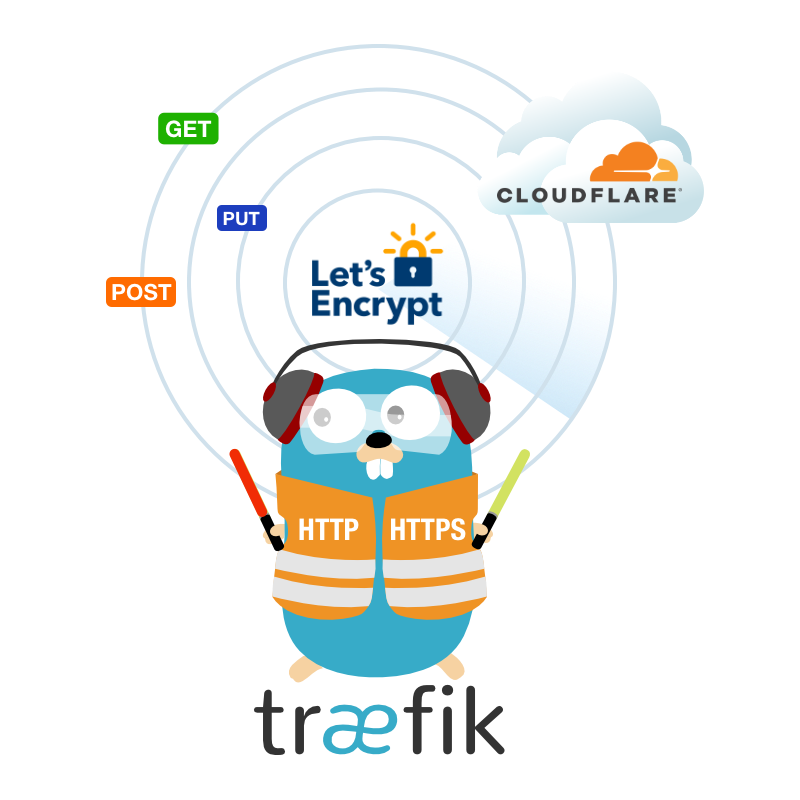






🌐 A powerful Docker solution combining Traefik reverse proxy with Cloudflare Tunnel Expose your local services to the internet securely with automatic SSL and DNS management
🐳 Docker Hub • 📖 Documentation • 🚀 Quick Start • 💬 Discussions
📋 Table of Contents
- ✨ Features
- 🏗️ Architecture
- 🚀 Quick Start
- ⚙️ Service Configuration
- 🔐 Cloudflare Setup
- 📊 Monitoring & Logging
- 🔧 Advanced Configuration
- 🐳 Docker Usage
- 🤝 Contributing
- 📄 License
- 🙏 Acknowledgments
- 📞 Support
✨ Features
⚡ Core Features
|
🛡️ Security & Performance
|
🏗️ Architecture
graph TB
    A[🌐 Internet] --> B[☁️ Cloudflare CDN]
    B --> C[🔒 Cloudflare Tunnel]
    C --> D[🚀 Traefik Proxy]
    D --> E[📱 Your Services]

    F[🤖 DNS API] --> G[📝 Auto DNS Records]
    H[🔐 Let's Encrypt] --> I[📜 SSL Certificates]
Flow Overview:
- 🌍 Internet Traffic → Cloudflare CDN for caching and protection
- 🔒 Secure Tunnel → Encrypted connection through Cloudflare Tunnel
- 🚀 Traefik Proxy → Intelligent routing to your services
- 🤖 Automatic SSL → Let's Encrypt certificates via DNS challenge
- 📝 DNS Management → Auto-create subdomains for services
🚀 Quick Start
📦 Prerequisites
- 🐳 Docker & Docker Compose
- ☁️ Cloudflare account with domain
- 🔑 Cloudflare API tokens
1️⃣ Clone Repository
git clone https://github.com/zenkiet/traefik-tunnel-expose.git
cd traefik-tunnel-expose
2️⃣ Environment Setup
# Copy example environment file
cp env.example .env

# Edit configuration
nano .env  # or your preferred editor
🔧 Required Environment Variables
# ===== REQUIRED =====
# Cloudflare Configuration
CF_API_TOKEN=your_cloudflare_api_token_here
CF_ZONE_ID=your_cloudflare_zone_id_here
CF_TUNNEL_ID=your_cloudflare_tunnel_id_here
CF_ACCOUNT_ID=your_cloudflare_account_id
[email protected]

# Domain Configuration
BASE_DOMAIN=yourdomain.com
HOST=127.0.0.1

# SSL Configuration (use staging for testing)
ACME_CA_SERVER=https://acme-staging-v02.api.letsencrypt.org/directory
3️⃣ Deploy services
# 🚀 Start services
make dev # or make prod (for production)

# 📊 Check status
make status

# 📝 View logs
make logs
4️⃣ Access Dashboard
- 🎛️ Traefik Dashboard: http://127.0.0.1:8080
- 🌐 Your Services: https://service.yourdomain.com
⚙️ Service Configuration
📁 Adding New Services
Create configuration files in conf.d/ directory:
📄 Example: conf.d/myapp.yml
# 🚀 HTTP Router and Service Configuration
http:
  routers:
    myapp:
      rule: "Host(`myapp.yourdomain.com`)"
      service: "myapp-service"
      entrypoints:
        - websecure
      tls:
        certResolver: cloudflare
      middlewares:
        - default-headers
        - rate-limit

  services:
    myapp-service:
      loadBalancer:
        servers:
          - url: "http://myapp-container:3000"
        healthCheck:
          path: "/health"
          interval: "30s"

  middlewares:
    default-headers:
      headers:
        frameDeny: true
        sslRedirect: true
        browserXssFilter: true
        contentTypeNosniff: true
        forceSTSHeader: true
        stsIncludeSubdomains: true
        stsPreload: true
        stsSeconds: 31536000

    rate-limit:
      rateLimit:
        burst: 100
        average: 50
🔧 Advanced Service Configuration
📱 Web Application with Authentication
http:
  routers:
    webapp-secure:
      rule: "Host(`webapp.yourdomain.com`)"
      service: "webapp"
      entrypoints:
        - websecure
      tls:
        certResolver: cloudflare
      middlewares:
        - auth
        - secure-headers

  services:
    webapp:
      loadBalancer:
        servers:
          - url: "http://webapp:8080"

  middlewares:
    auth:
      basicAuth:
        users:
          - "admin:$2y$12$..."  # Generated with htpasswd

    secure-headers:
      headers:
        accessControlAllowMethods:
          - GET
          - OPTIONS
          - PUT
        accessControlAllowOriginList:
          - https://yourdomain.com
        accessControlMaxAge: 100
        hostsProxyHeaders:
          - "X-Forwarded-Host"
🗄️ Database Service (Internal Only)
http:
  routers:
    db-admin:
      rule: "Host(`db.yourdomain.com`)"
      service: "database-admin"
      entrypoints:
        - websecure
      tls:
        certResolver: cloudflare
      middlewares:
        - ip-whitelist
        - auth

  services:
    database-admin:
      loadBalancer:
        servers:
          - url: "http://adminer:8080"

  middlewares:
    ip-whitelist:
      ipWhiteList:
        sourceRange:
          - "192.168.1.0/24"
          - "10.0.0.0/8"
🔐 Cloudflare Setup
1️⃣ API Token Creation
- 🌐 Navigate to Cloudflare API Tokens
- 🔧 Create Custom Token with permissions:
| Scope | Resource | Permission |
|---|---|---|
| Zone | Zone:Read | Specific zones |
| Zone | DNS:Edit | Specific zones |
| Account | Cloudflare Tunnel:Edit | Specific accounts |
- 📋 Copy the generated token
2️⃣ Cloudflare Tunnel Setup
🖥️ Using cloudflared CLI (Recommended here)
# 📥 Install cloudflared
curl -L https://github.com/cloudflare/cloudflared/releases/latest/download/cloudflared-linux-amd64.deb -o cloudflared.deb
sudo dpkg -i cloudflared.deb

# 🔐 Authenticate with Cloudflare
cloudflared tunnel login

# 🚇 Create tunnel
cloudflared tunnel create my-tunnel

# 🎫 Generate tunnel token
cloudflared tunnel token my-tunnel
🌐 Method 2: Using Cloudflare Dashboard
- Go to Zero Trust → Networks → Tunnels
- Create new tunnel
- Install connector and copy the token
3️⃣ Generate credentials file
cloudflared tunnel token --cred-file ./credentials.json <TUNNEL_ID>
4️⃣ DNS Configuration
The service automatically creates DNS records, but you can manually verify:
# 🔍 Check DNS records
dig myapp.yourdomain.com
nslookup myapp.yourdomain.com
📊 Management Commands
🚀 Service Management
# Start services
make run                    # Start with auto-restart
make dev                    # Development mode
make prod                   # Production mode

# Control services
make stop                   # Stop all services
make restart                # Zero-downtime restart
make update                 # Update to latest images
📊 Monitoring & Diagnostics
# View service status
make status                 # Comprehensive status overview
make health-check          # Full health diagnostics

# Log management
make logs                  # Live logs with timestamps
make logs-traefik          # Traefik-specific logs
make logs-errors           # Error logs only
🔧 Development & Testing
# Quality assurance
make test                  # Run test suite
make lint                  # Validate configurations
make security-scan         # Security vulnerability scan

# Development tools
make shell                 # Enter container shell
make info                  # Image information
🧹 Maintenance
# Cleanup operations
make clean                 # Clean containers & resources
make clean-all             # Deep cleanup with cache
make clean-logs            # Remove old log files
🔄 CI/CD Pipeline
# Build and deployment
make build                 # Build Docker image
make push                  # Push to registry
make release VERSION=v1.0.0  # Create versioned release

# Pipeline execution
make ci                    # Complete CI pipeline
make cd                    # Complete CD pipeline
🚀 Service Management
# Start services
make run                    # Start with auto-restart
make dev                    # Development mode
make prod                   # Production mode

# Control services
make stop                   # Stop all services
make restart                # Zero-downtime restart
make update                 # Update to latest images
🔧 Advanced Configuration
🎛️ Custom Traefik Configuration
Create config/traefik-dynamic.yml for advanced settings:
# 🔐 TLS Configuration
tls:
  options:
    default:
      sslProtocols:
        - "TLSv1.2"
        - "TLSv1.3"
      cipherSuites:
        - "TLS_ECDHE_RSA_WITH_AES_256_GCM_SHA384"
        - "TLS_ECDHE_RSA_WITH_CHACHA20_POLY1305"
        - "TLS_ECDHE_RSA_WITH_AES_128_GCM_SHA256"

# 📊 Global Middlewares
http:
  middlewares:
    secure-headers:
      headers:
        accessControlAllowMethods:
          - GET
          - OPTIONS
          - PUT
        accessControlMaxAge: 100
        hostsProxyHeaders:
          - "X-Forwarded-Host"
        referrerPolicy: "same-origin"
🚀 Performance Optimization
⚡ Performance Tuning
services:
  traefik-tunnel:
    deploy:
      resources:
        limits:
          cpus: '2.0'
          memory: 1G
        reservations:
          cpus: '0.5'
          memory: 256M
    healthcheck:
      test: ["CMD", "traefik", "healthcheck"]
      interval: 30s
      timeout: 10s
      retries: 3
      start_period: 40s
🐳 Docker Usage
📥 Pull from Docker Hub
# 🎯 Latest version
docker pull zenkiet/traefik-tunnel-expose:latest

# 🏷️ Specific version
docker pull zenkiet/traefik-tunnel-expose:v1.0.0

# 📊 Check image info
docker inspect zenkiet/traefik-tunnel-expose:latest
🚀 Quick Run (Standalone)
docker run -d \
  --name traefik-tunnel \
  --restart unless-stopped \
  -p 80:80 \
  -p 443:443 \
  -p 8080:8080 \
  -v /var/run/docker.sock:/var/run/docker.sock:ro \
  -v ./data:/data \
  -v ./config:/etc/traefik \
  -e CF_API_TOKEN=your_token \
  -e CF_ZONE_ID=your_zone_id \
  zenkiet/traefik-tunnel-expose:latest
🤝 Contributing
We welcome contributions! Here's how you can help:
🐛 Bug Reports
- 🔍 Search existing issues
- 📝 Create detailed bug report
- 🏷️ Use appropriate labels
✨ Feature Requests
- 💡 Discuss in GitHub Discussions
- 📋 Create feature request issue
- 🚀 Submit pull request
🛠️ Development Workflow
# 🍴 Fork and clone
git clone https://github.com/your-username/traefik-tunnel-expose.git
cd traefik-tunnel-expose

# 🌿 Create feature branch
git checkout -b feature/amazing-feature

# 🔧 Make changes and test
docker-compose up -d

# ✅ Commit changes
git commit -m "✨ Add amazing feature"

# 🚀 Push and create PR
git push origin feature/amazing-feature
📝 Commit Convention
We use Conventional Commits:
✨ feat:New features🐛 fix:Bug fixes📚 docs:Documentation🎨 style:Code formatting♻️ refactor:Code restructuring⚡ perf:Performance improvements✅ test:Testing🔧 chore:Maintenance
📄 License
This project is licensed under the MIT License - see the LICENSE file for details.
MIT License

Copyright (c) 2025 ZenKiet
🙏 Acknowledgments
This project wouldn't be possible without these amazing technologies:

Traefik Reverse Proxy |

Cloudflare Tunnel & Security |

Alpine Linux Lightweight OS |

Docker Containerization |
🎯 Special Thanks
📞 Support







⭐ If this project helped you, please consider giving it a star! ⭐
Made with ❤️ by ZenKiet
Tag summary
Content type
Image
Digest
sha256:c7ae4e335…
Size
112 MB
Last updated
4 months ago
docker pull zenkiet/traefik-tunnel-expose:debian-latest