xomoxcc/sipstuff
SIP telephony automation: place calls, play WAV/TTS audio, record & transcribe via PJSIP
1.6K
xomoxcc/sipstuff repository overview



sipstuff
SIP telephony automation toolkit — place phone calls and play WAV files or TTS-generated speech via PJSUA2. Includes speech-to-text transcription of recorded calls via faster-whisper. Supports incoming call handling with auto-answer, live TTS, and real-time transcription. Available for linux/amd64 and linux/arm64.
Quick links:
- Source: github.com/vroomfondel/sipstuff
- PyPI: pypi.org/project/sipstuff
- CI: mypy + pytest, black lint, and a multi-arch Docker build/push workflow (see badges above)
Why this is useful
- Headless SIP calling — place automated phone calls from scripts, monitoring systems, alerting pipelines, or CI/CD without a sound card or GUI.
- TTS + STT in one image — synthesize speech via piper TTS (with optional CUDA acceleration) and transcribe recordings via faster-whisper, all in a single container.
- Incoming call handling — auto-answer, WAV playback, real-time TTS, and live transcription for callee scenarios.
- NAT traversal — STUN, ICE, TURN relay, UDP keepalive, and static public address support for complex network environments.
- Encryption — UDP, TCP, and TLS transports with optional SRTP media encryption.
- Multi-arch — runs on amd64 and arm64 (laptops, servers, SBCs).
Screenshots
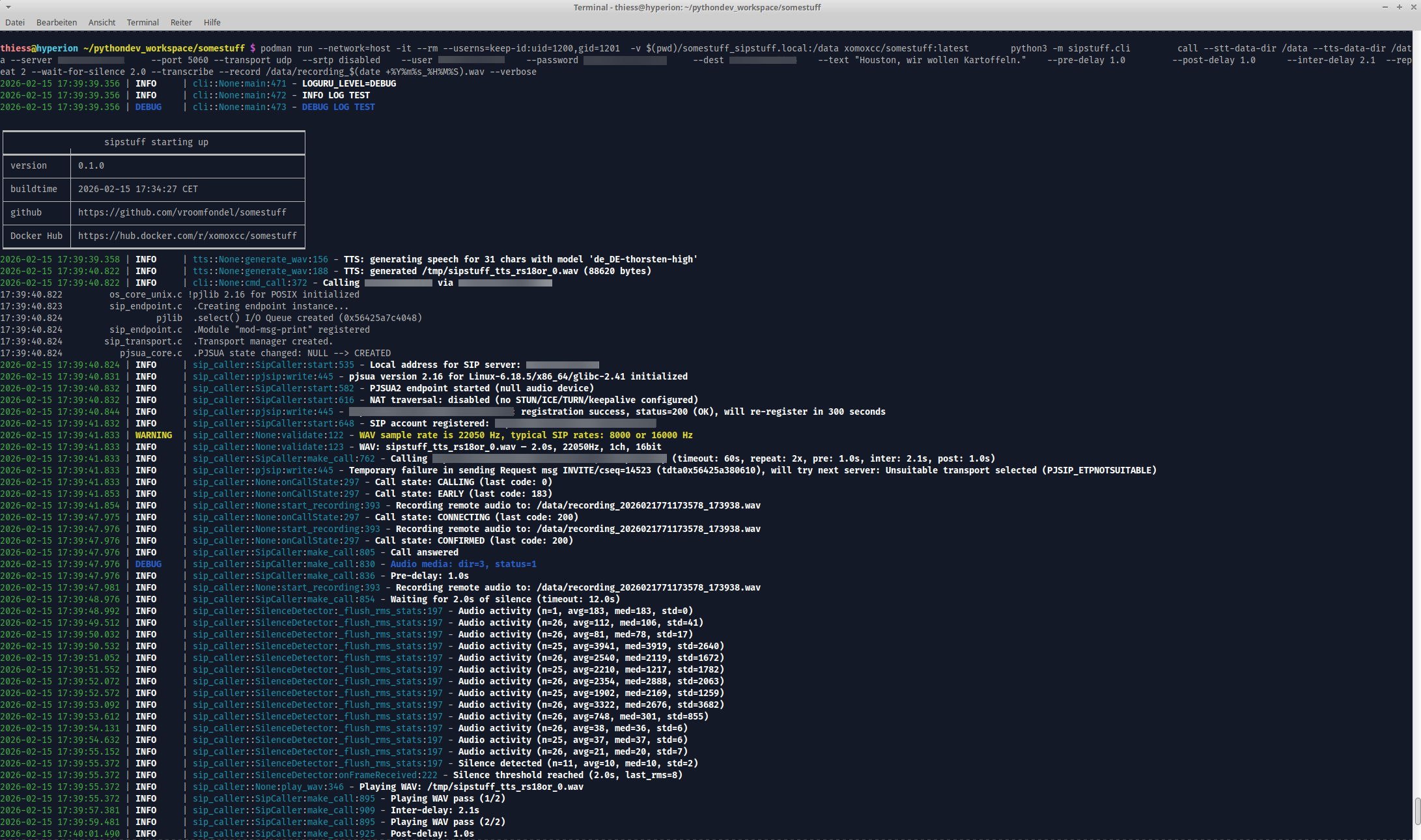
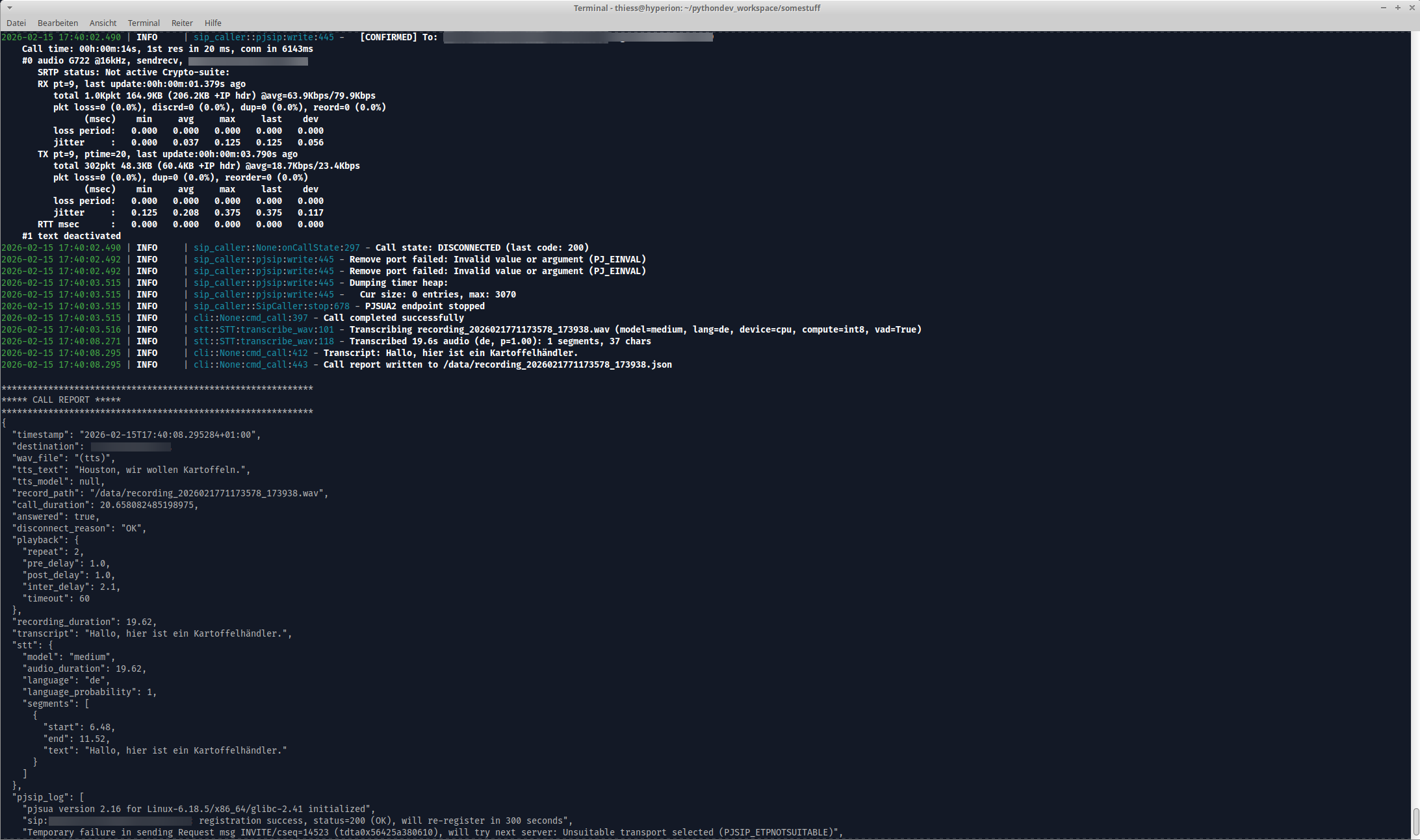
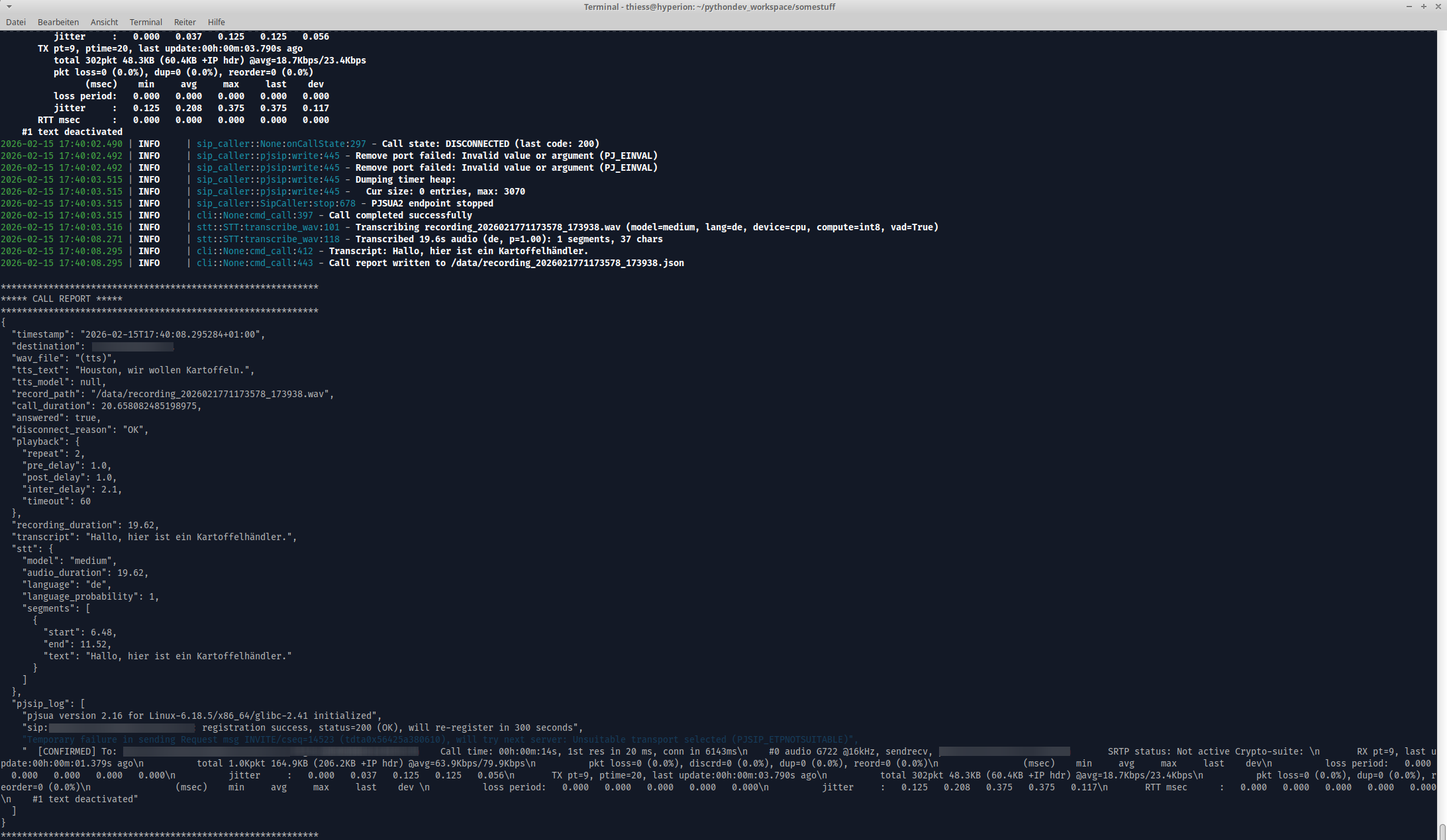
Quick start
# Pull the image
docker pull xomoxcc/sipstuff:latest

# Place a TTS call (no WAV file needed)
docker run --network=host --rm \
    xomoxcc/sipstuff:latest \
    python3 -m sipstuff.cli call \
    --server pbx.example.com --user 1000 --password changeme \
    --dest +491234567890 \
    --text "Achtung! Wasserstand kritisch!" \
    --tts-sample-rate 8000 -v

# Place a call with a WAV file
docker run --network=host --rm \
    -v /path/to/alert.wav:/app/alert.wav:ro \
    xomoxcc/sipstuff:latest \
    python3 -m sipstuff.cli call \
    --server pbx.example.com --user 1000 --password changeme \
    --dest +491234567890 --wav /app/alert.wav -v
CLI Subcommands
The image provides six subcommands via python3 -m sipstuff.cli:
| Subcommand | Description |
|---|---|
call | Place an outgoing SIP call with WAV playback, TTS, recording, and transcription |
tts | Generate or play TTS audio (interactive REPL, in-memory playback, or WAV file; no SIP server needed) |
stt | Transcribe a WAV file using faster-whisper (no SIP server needed) |
callee_autoanswer | Auto-answer incoming calls with optional WAV/TTS playback |
callee_realtime-tts | Answer incoming calls with live TTS, STT, recording, VAD, and audio streaming |
callee_live-transcribe | Answer incoming calls and transcribe remote audio in real-time |
Docker / Podman Examples
TTS call with recording and transcription
docker run --network=host --rm \
    -v /tmp/recordings:/data/recordings \
    xomoxcc/sipstuff:latest \
    python3 -m sipstuff.cli call \
    --server pbx.example.com --user 1000 --password changeme \
    --dest +491234567890 \
    --text "Achtung! Wasserstand kritisch!" \
    --tts-sample-rate 8000 \
    --record /data/recordings/rx.wav --transcribe \
    --wait-for-silence 1.0 -v
TLS + SRTP encrypted call with playback options
docker run --network=host --rm \
    -v /path/to/alert.wav:/app/alert.wav:ro \
    xomoxcc/sipstuff:latest \
    python3 -m sipstuff.cli call \
    --server pbx.example.com --port 5161 \
    --transport tls --srtp mandatory \
    --user 1000 --password changeme \
    --dest +491234567890 --wav /app/alert.wav \
    --pre-delay 3.0 --post-delay 1.0 --repeat 3 -v
TTS with persistent voice models
Avoid re-downloading piper voice models on every --rm run:
docker run --network=host --rm \
    -v ~/.local/share/piper-voices:/data/piper \
    xomoxcc/sipstuff:latest \
    python3 -m sipstuff.cli call \
    --server pbx.example.com --user 1000 --password changeme \
    --dest +491234567890 \
    --text "Server nicht erreichbar!" \
    --tts-data-dir /data/piper --tts-sample-rate 8000 -v
Connection via environment variables
docker run --network=host --rm \
    -e SIP_SERVER=pbx.example.com \
    -e SIP_PORT=5161 \
    -e SIP_USER=1000 \
    -e SIP_PASSWORD=changeme \
    -e SIP_TRANSPORT=tls \
    -e SIP_SRTP=mandatory \
    xomoxcc/sipstuff:latest \
    python3 -m sipstuff.cli call \
    --dest +491234567890 \
    --text "Server nicht erreichbar!" \
    --tts-sample-rate 8000 -v
Callee auto-answer
docker run --network=host --rm \
    -e SIP_SERVER=pbx.example.com \
    -e SIP_USER=1001 \
    -e SIP_PASSWORD=changeme \
    xomoxcc/sipstuff:latest \
    python3 -m sipstuff.cli callee_autoanswer \
    --mode tts --tts-text "Hallo, bitte hinterlassen Sie eine Nachricht." -v
NAT traversal — STUN + ICE
docker run --network=host --rm \
    xomoxcc/sipstuff:latest \
    python3 -m sipstuff.cli call \
    --server pbx.example.com --user 1000 --password changeme \
    --stun-servers stun.l.google.com:19302,stun1.l.google.com:19302 \
    --ice \
    --dest +491234567890 \
    --text "Test call with NAT traversal" -v
Rootless Podman
podman run --network=host -it --rm --userns=keep-id:uid=1200,gid=1201 \
    xomoxcc/sipstuff:latest \
    python3 -m sipstuff.cli call \
    --server pbx.example.com --user 1000 --password changeme \
    --dest +491234567890 --text "Hello from Podman" -v
Notes:
--network=hostis needed for SIP/RTP media traffic.--userns=keep-id:uid=1200,gid=1201maps the container'spythonuserto your host user (rootless Podman).- The container runs as non-root
pythonuser(UID 1200). - Use
--tts-sample-rate 8000to resample TTS output for narrowband SIP.
Configuration
All SIP settings can be passed via CLI flags, environment variables (SIP_* prefix), or a YAML config file. Priority (highest first): CLI flags > env vars > YAML file.
Key environment variables:
| Variable | Description |
|---|---|
SIP_SERVER | PBX hostname or IP |
SIP_PORT | SIP port (default: 5060) |
SIP_USER | SIP extension / username |
SIP_PASSWORD | SIP password |
SIP_TRANSPORT | udp, tcp, or tls |
SIP_SRTP | disabled, optional, or mandatory |
SIP_TTS_CUDA | Use CUDA GPU acceleration for Piper TTS |
SIP_TTS_DATA_DIR | Directory for piper voice models |
SIP_STT_BACKEND | STT backend: faster-whisper or openvino |
SIP_STT_MODEL | Whisper model size |
SIP_STT_LANGUAGE | Language code for STT |
SIP_STT_DEVICE | Compute device: cpu or cuda |
SIP_STT_DATA_DIR | Whisper model cache directory |
SIP_VAD_SILENCE_THRESHOLD | RMS silence threshold |
SIP_VAD_SILENCE_TRIGGER | Seconds of silence to trigger chunk boundary |
SIP_VAD_MAX_CHUNK | Max seconds per audio chunk |
SIP_VAD_MIN_CHUNK | Min seconds per audio chunk |
SIP_STUN_SERVERS | Comma-separated STUN servers |
SIP_ICE_ENABLED | Enable ICE for NAT traversal |
SIP_TURN_SERVER | TURN relay server (host:port) |
SIP_PUBLIC_ADDRESS | Public IP for SDP/Contact headers |
SIP_TIMEOUT | Call timeout in seconds |
See the full README for the complete list.
Dockerfile (Two-Stage Build)
pjsip-builder(python:3.14-slim-trixie): builds PJSIP from source, copies.solibs + Python SWIG bindings- Main image (
python:3.14-slim-trixie): copies PJSIP artifacts, installs sipstuff (includingpiper-ttsvia pip). Runs as non-rootpythonuser(UID 1200). Localede_DE.UTF-8, tzEurope/Berlin. Entrypoint:tini.
Optional build args:
INSTALL_CUDA=true: installs NVIDIA CUDA runtime libs for faster-whisper GPU inferenceINSTALL_OPENVINO=true: installsoptimum-intel[openvino]for OpenVINO STT backend (Intel GPU/CPU)
Local build
# Standard build
docker build -t xomoxcc/sipstuff:latest .

# With CUDA support
docker build --build-arg INSTALL_CUDA=true -t xomoxcc/sipstuff:latest .

# With OpenVINO support
docker build --build-arg INSTALL_OPENVINO=true -t xomoxcc/sipstuff:latest .
Multi-arch build and push
The CI workflow (.github/workflows/buildmultiarchandpush.yml) builds and pushes multi-arch images (amd64 + arm64) to Docker Hub after a successful mypy/pytest run.
GitHub Actions
checkblack.yml— black code style checkmypynpytests.yml— mypy + pytestbuildmultiarchandpush.yml— multi-arch Docker build/push (triggers after successful tests)
License
This project is licensed under the LGPL-3.0 — see LICENSE.md. Some files/parts may use other licenses: MIT | GPL | LGPL. Always check per-file headers/comments.
Authors
- Repo owner (primary author)
- Additional attributions are noted inline in code comments
Note
This is a development/experimental project. For production use, review security settings, customize configurations, and test thoroughly in your environment. Provided "as is" without warranty of any kind, express or implied, including but not limited to the warranties of merchantability, fitness for a particular purpose and noninfringement. In no event shall the authors or copyright holders be liable for any claim, damages or other liability, whether in an action of contract, tort or otherwise, arising from, out of or in connection with the software or the use or other dealings in the software. Use at your own risk.
Tag summary
Content type
Image
Digest
sha256:9f82301cb…
Size
5.9 GB
Last updated
5 months ago
docker pull xomoxcc/sipstuff:python-3.14-slim-trixie-pjsip_2.16-cuda-openvino