williambnorton/synternet
Connects to the synternet data layer to stream Ethereum blockchain transactions to stdout.
2.9K
williambnorton/synternet repository overview
Docker to demonstrate Synternet Data Layer Test Net
This Docker is for connecting your computer to the Synternet data layer to pull down a projects data streams.
Usage: docker run --init -it -eACCESS_TOKEN=$ACCESS_TOKEN -eSUBJECT=synternet.arbitrum.tx -ePIPED=true williambnorton/synternet
Get the $ACCESS_TOKEN from the Synternet test net : https://portal-testnet.synternet.com/
How-to-Connect-Keplr-Wallet-to-Synternet-TestNet
Made by Bill Norton with Scribe
This guide provides a straightforward process for connecting your Keplr wallet to the Synternet test network, enabling you to participate in project registration and token management. By following the steps outlined, users can quickly set up their wallet, request tokens, and create projects within the platform. It is essential for anyone looking to engage with the Synternet ecosystem and experiment with its features. Viewing this guide ensures a smooth onboarding experience for both new and experienced users.
1. Click the Connect wallet button on the [[[https://portal-testnet.synternet.com/ Synternet test network blockchain portal.]]

2. Click Keplr

3. Enter your Keplr password. Your wallet is now connected to the Synternet test network.

4. Click "Get tokens" so we can fund our blockchain transactions to enable our subscriptions.

5. Click "Send Request" - this will instruct the blockchain faucet to transfer 100 AMBER test network tokens to my wallet account on the blockchain.

6. Click "Register a project" as our container for the data stream subscription.

7. Click the "Enter project name" field.

8. Type "Ethereum Streams Project"
9. Click "Submit"

10. Click on our project "Ethereum Streams Project"

11. Click "Go to project"

12. Click "Add new stream"
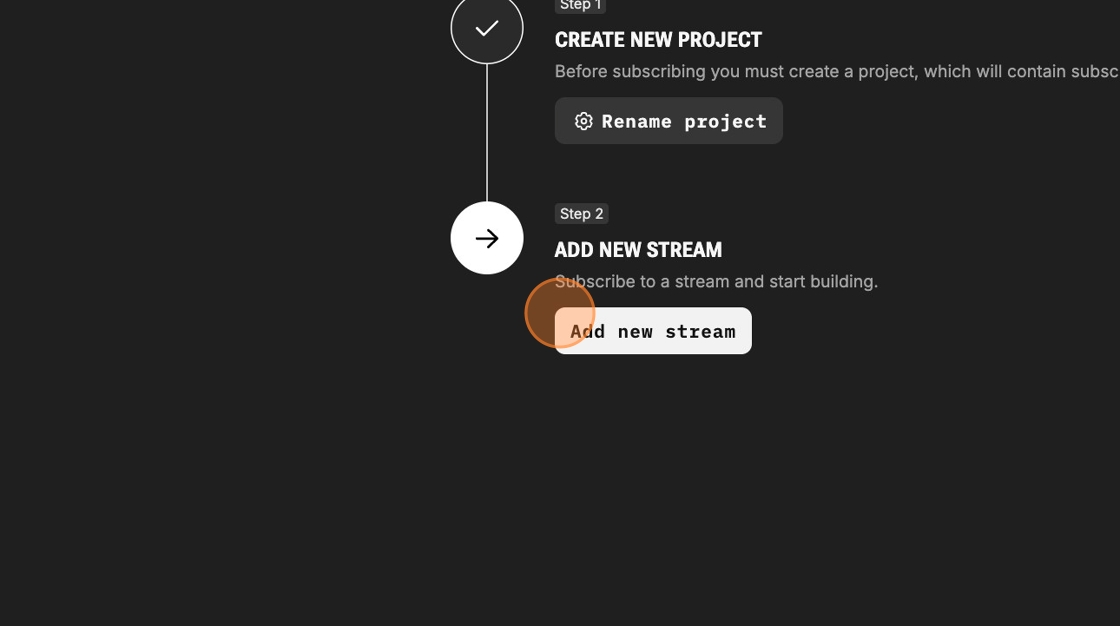
13. Select the synternet.ethereum.tx data stream

14. We will apply 25 AMBER tokens to the data stream to start it flowing.

15. Type "25" so we can stream up to 10GB of transactions from the Ethereum blockchain.
16. Add this stream to the project by clicking "Add 1 streams" and Pro Tip: preview the data streams to ensure they have active data.

Made with Scribe
Click Preview to verify the data stream sends data within 60 seconds.
Tag summary
Content type
Image
Digest
sha256:1647cdbd6…
Size
690.3 MB
Last updated
over 1 year ago
docker pull williambnorton/synternet