vm75/vpn-sandbox
VPN client (OpenVPN/Wireguard), HTTP/SOCKS proxy, web UI, and sandboxed custom apps.
992
vm75/vpn-sandbox repository overview




VPN Sandbox is an open-source containerized solution for securely tunneling network traffic through a VPN. It supports OpenVPN and WireGuard, with features like HTTP Proxy and SOCKS Proxy support, DNS leak prevention, and a web-based interface for easy configuration. The container runs in rootless mode and is ideal for secure browsing or running custom applications behind a VPN.
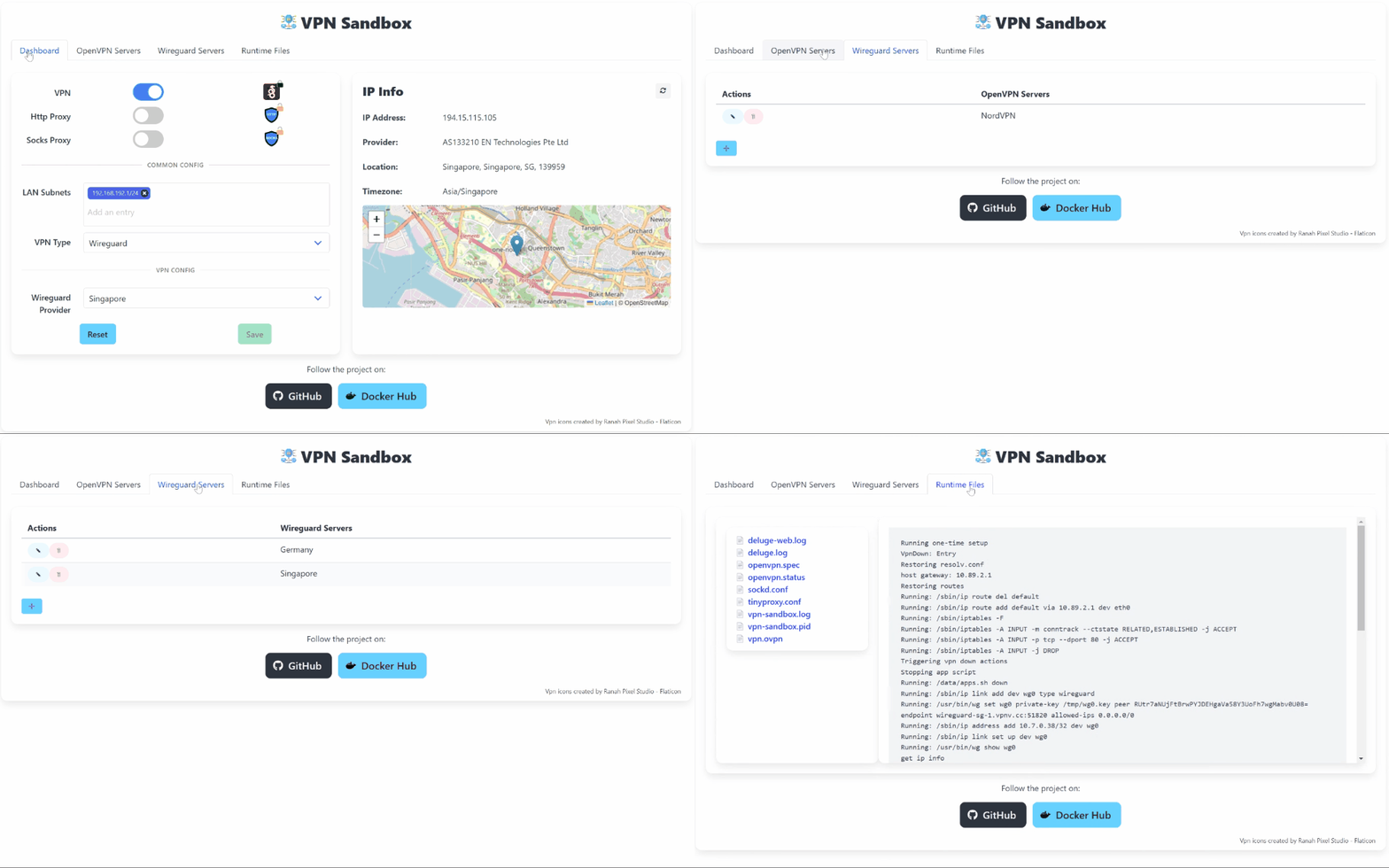
Features
- Supports OpenVPN and WireGuard: Choose between two popular VPN protocols for your secure connection needs.
- Rootless Container Support: Run the container without elevated privileges (Docker/Podman/Kubernetes).
- HTTP and SOCKS Proxy: Redirect host network traffic through proxies to browse securely.
- Web-Based Configuration UI: Configure VPN servers and manage settings via an intuitive web interface.
- Template-based Server Configuration: Create and manage server configurations using templates.
- Prevention of DNS Leaks and LAN Access: Ensures that DNS queries do not leak and blocks direct LAN traffic for enhanced privacy.
- Custom App Support: Run custom Linux applications in the sandbox.
Usage 🐳
Via Docker Compose:
services:
  vpn-sandbox:
    image: vm75/vpn-sandbox
    container_name: vpn-sandbox
    cap_add:
      - NET_ADMIN
    devices:
      - /dev/net/tun
    ports:
      - "8080:80"   # Web UI
      - "1080:1080" # SOCKS Proxy
      - "3128:3128" # HTTP Proxy
    volumes:
      - /path/to/data:/data
    restart: unless-stopped
Via Docker CLI:
docker pull vm75/vpn-sandbox
docker run -d --name vpn-sandbox \
  --cap-add=NET_ADMIN \
  --device=/dev/net/tun \
  -v /path/to/data:/data \
  -p 8080:80 \
  vm75/vpn-sandbox
Configuration ⚙️
To add a new server, use the web interface to create a new server configuration. It supports OpenVPN and WireGuard configurations.
The configuration templates can include custom parameters, such as endpoints, IP addresses, and ports. There can be multiple sets of values for each template. The parameters are enclosed in double brackets {{}}.
Volume Structure
The /data volume should contain the following structure:
/data
├── config/         # Contains the sqlite3 database
├── var/            # Contains the runtime configuration and logs
├── apps.sh         # Custom apps script (optional)
It is recommended to place the apps.sh script in the /data volume.
Example apps.sh Script (optional)
This script runs custom applications once the VPN connection is established:
#!/bin/sh

case "$1" in
  setup)
    apk --no-cache --no-progress <packages needed by apps>
    ;;
  up)
    # Run your custom apps here
    ;;
  down)
    # Stop your custom apps here
    ;;
esac
Ensure the script is executable:
chmod +x /data/apps.sh
Web UI Access
The web UI is accessible at http://<host-ip>:8080 by default. Use it to configure your VPN servers and settings with ease.
Proxy Usage
Configure your browser or applications to use the container's HTTP (3128) or SOCKS (1080) proxies to securely route traffic through the VPN.
License
This project is licensed under the MIT License. See the LICENSE file for details.
3rd-Party Components
| Component | License |
| OpenVPN | COPYRIGHT.GPL |
| WireGuard | LICENSE |
| Dante (Socks Proxy) | LICENSE |
| Tinyproxy (HTTP Proxy) | COPYING |
VPN Sandbox provides a simple, secure, and flexible way to manage VPN connections using containerization. Contributions are welcome! 🚀
Tag summary
Content type
Image
Digest
sha256:c084cea9e…
Size
14.2 MB
Last updated
over 1 year ago
docker pull vm75/vpn-sandbox:0.0