vibhuvioio/docker-registry-ui
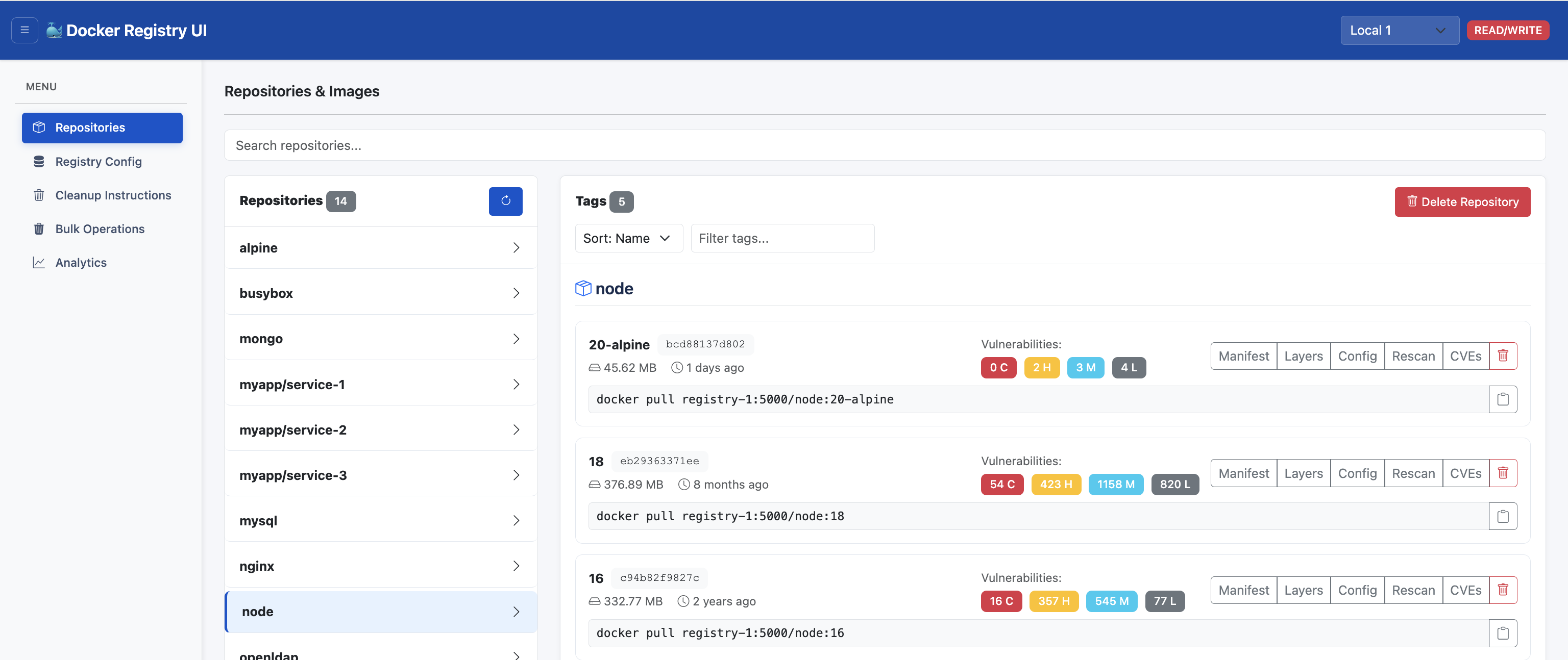
Modern web UI for managing Docker registries with vulnerability scanning, bulk operations
962
vibhuvioio/docker-registry-ui repository overview
Docker Registry UI - Docs
Modern web interface for managing Docker Registry with vulnerability scanning, bulk operations, and multi-registry support.




🚀 Try It Now (2 Minutes)
☁️ Play with Docker (Browser)
Click the button below to try Docker Registry UI instantly in your browser using Play with Docker:

Note: This launches a single-registry setup. The UI will be available on port 5000 and the registry on port 5001.
🖥️ Local Quick Start
# Download test environment
wget https://raw.githubusercontent.com/VibhuviOiO/docker-registry-ui/main/docker/multi-registry/docker-compose.yml

wget https://raw.githubusercontent.com/VibhuviOiO/docker-registry-ui/main/docker/multi-registry/populate-test-images.sh

chmod +x populate-test-images.sh

# Start registries and UI
docker-compose -f docker-compose.yml up -d

# Populate with test images (optional, takes 5-10 min)
./populate-test-images.sh

# Open http://localhost:5003
✨ Features
- 📦 Repository & tag management
- 🛡️ Vulnerability scanning (Trivy)
- 🗑️ Bulk operations with safety features
- 🔗 Multi-registry support
- 📊 Storage analytics
- 🎨 Modern, responsive UI
📦 Quick Start (Production)
# Simple setup (setup wizard will guide you)
docker run -d \
  -p 5000:5000 \
  -v $(pwd)/data:/app/data \
  vibhuvioio/docker-registry-ui:latest

# With test registry (using Docker network)
docker network create registry-net
docker run -d --name test-registry --network registry-net -p 5001:5000 \
  -e REGISTRY_STORAGE_DELETE_ENABLED=true registry:2
docker run -d --name registry-ui --network registry-net -p 5000:5000 \
  -e 'REGISTRIES=[{"name":"Local Registry","api":"http://test-registry:5000"}]' \
  -v $(pwd)/data:/app/data \
  vibhuvioio/docker-registry-ui:latest
Access at http://localhost:5000 - Setup wizard will guide you.
🧭 Run Locally (Developer)
Docker Development
# Clone repository
git clone https://github.com/vibhuvi/docker-registry-ui.git
cd docker-registry-ui

# Start development environment
docker-compose -f docker-compose.dev.yml up -d

# Access UI at http://localhost:5005
Python Development
If you want to run the Python application locally (outside Docker):
# Setup Python environment
python3 -m venv venv
source venv/bin/activate
pip install -r requirements.txt

# Run application
python run.py
# Or: uvicorn asgi:app --host 0.0.0.0 --port 5000
Note: The Docker development environment includes the trivy binary for vulnerability scanning. For local Python development, install trivy CLI separately.
📖 Documentation
Full docs: vibhuvioio.com/docker-registry-ui
- Getting Started - Installation & setup
- Testing Guide - Full feature testing
- Configuration - Multi-registry setup
- Features - Complete feature list
- Development - Contributing guide
📦 Versions
Images are published to both Docker Hub and GitHub Container Registry.
# Latest
docker pull vibhuvioio/docker-registry-ui:latest

# Specific version (example)
docker pull vibhuvioio/docker-registry-ui:2.0.0
Developed by Vibhuvi OiO | GitHub | Docs | MIT License
Tag summary
Content type
Image
Digest
sha256:36f966c69…
Size
190.8 MB
Last updated
about 1 month ago
docker pull vibhuvioio/docker-registry-ui:2.1.0