thoho/echo-service-api
ASPNET.Core 5 WebApi provide Echo Service Api for testing deployment and integration environment
8.0K
thoho/echo-service-api repository overview
ASPNET.Core 5 Echo Service WebApi
ASPNET.Core 5 WebApi provide Echo Service Api for troubleshooting deployment and integration. This is useful tool on detecting deployment (setup environment) and development issue OAuth and OIDC with deployment environment.
Build Status

Getting started
Use docker run
-
Check docker repository on Docker Hub: https://hub.docker.com/r/netlah/echo-service-api
-
Support Linux and Windows Server 2019 with nanoserver 1809 base.
-
This docker respository not support tag
latestand multi arch yet, there is 2 tagslinuxandnanoserver-1809
docker pull netlah/echo-service-api:linux
docker run -d -p 5000:80 --name echoapi netlah/echo-service-api:linux
docker logs -f echoapi
docker rm -f echoapi
Run ASP.NETCore Echo Service API from command line using dotnet
-
Checkout source code from Github
-
Run the ASP.NET Core WebApi application using command line
dotnet run -p EchoServiceApi
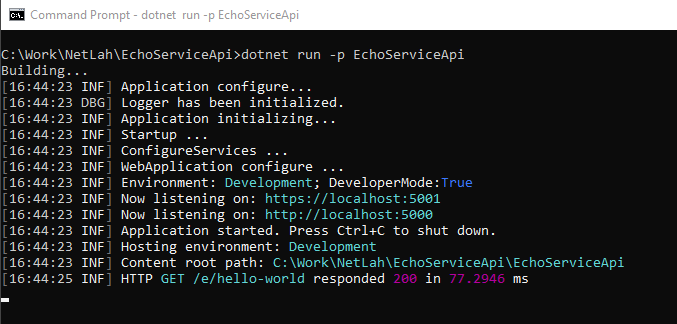
Output
C:\Work\NetLah\EchoServiceApi>dotnet run -p EchoServiceApi
Building...
[16:44:23 INF] Application configure...
[16:44:23 DBG] Logger has been initialized.
[16:44:23 INF] Application initializing...
[16:44:23 INF] Startup ...
[16:44:23 INF] ConfigureServices ...
[16:44:23 INF] WebApplication configure ...
[16:44:23 INF] Environment: Development; DeveloperMode:True
[16:44:23 INF] Now listening on: https://localhost:5001
[16:44:23 INF] Now listening on: http://localhost:5000
[16:44:23 INF] Application started. Press Ctrl+C to shut down.
[16:44:23 INF] Hosting environment: Development
[16:44:23 INF] Content root path: C:\Work\NetLah\EchoServiceApi\EchoServiceApi
[16:44:25 INF] HTTP GET /e/hello-world responded 200 in 77.2946 ms
Hit the echo service api
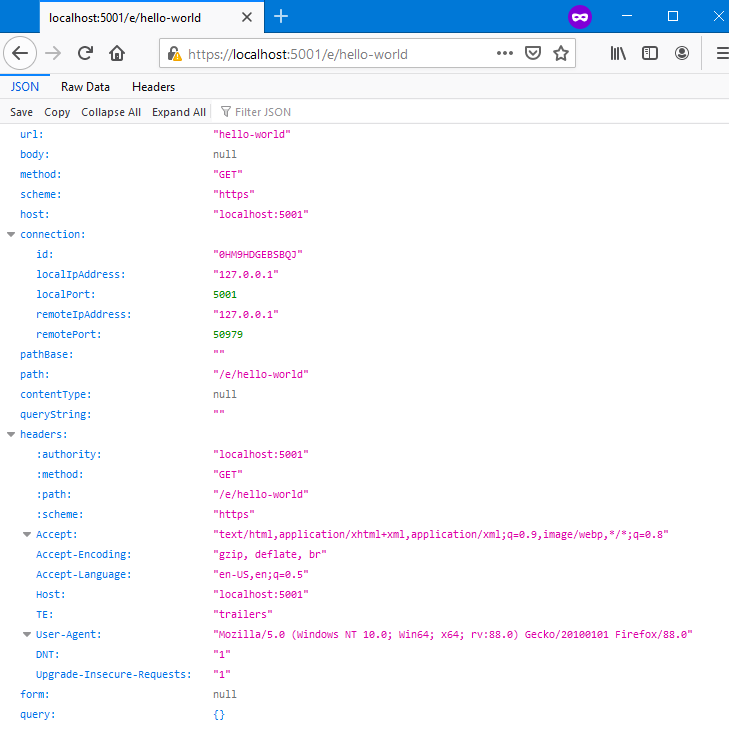
- Using any REST tool or browser to hit the Echo service API on URL
https://<domain:port>/e/<what-ever-path-and-method>
- Use browser and hit the URL
https://localhost:5001/e/hello-world
Test with hosting and Reverse Proxy
-
This Echo Service Api support both IIS In process, IIS out process, IIS ARR Urlrewite or NGINX.
-
For forwarded headers issue when behind Reverse Proxy, can check this article for further understanding: https://devblogs.microsoft.com/aspnet/forwarded-headers-middleware-updates-in-net-core-3-0-preview-6/
-
To add support Forwarded Headers when use with Reverse Proxy, make sure add this environment setting (environment setings, it is not support appsettings.json).
ASPNETCORE_FORWARDEDHEADERS_ENABLED=true
- For IIS ARR UrlRewrite, make sure add Server variable
HTTP_X_Forwarded_Protoand provide proper value, the below is the sample for reference (do not use for production):
web.config
<configuration>
    <system.webServer>
        <rewrite>
            <rules>
                <rule name="ARR_Proxy" patternSyntax="Wildcard" stopProcessing="true">
                    <match url="*" />
                    <action type="Rewrite" url="http://web-farm-name/{R:1}" />
                    <serverVariables>
                        <set name="HTTP_X_Forwarded_Proto" value="https" />
                    </serverVariables>
                </rule>
            </rules>
        </rewrite>
    </system.webServer>
</configuration>
Troubleshooting configuration, appsettings, connection strings and environments
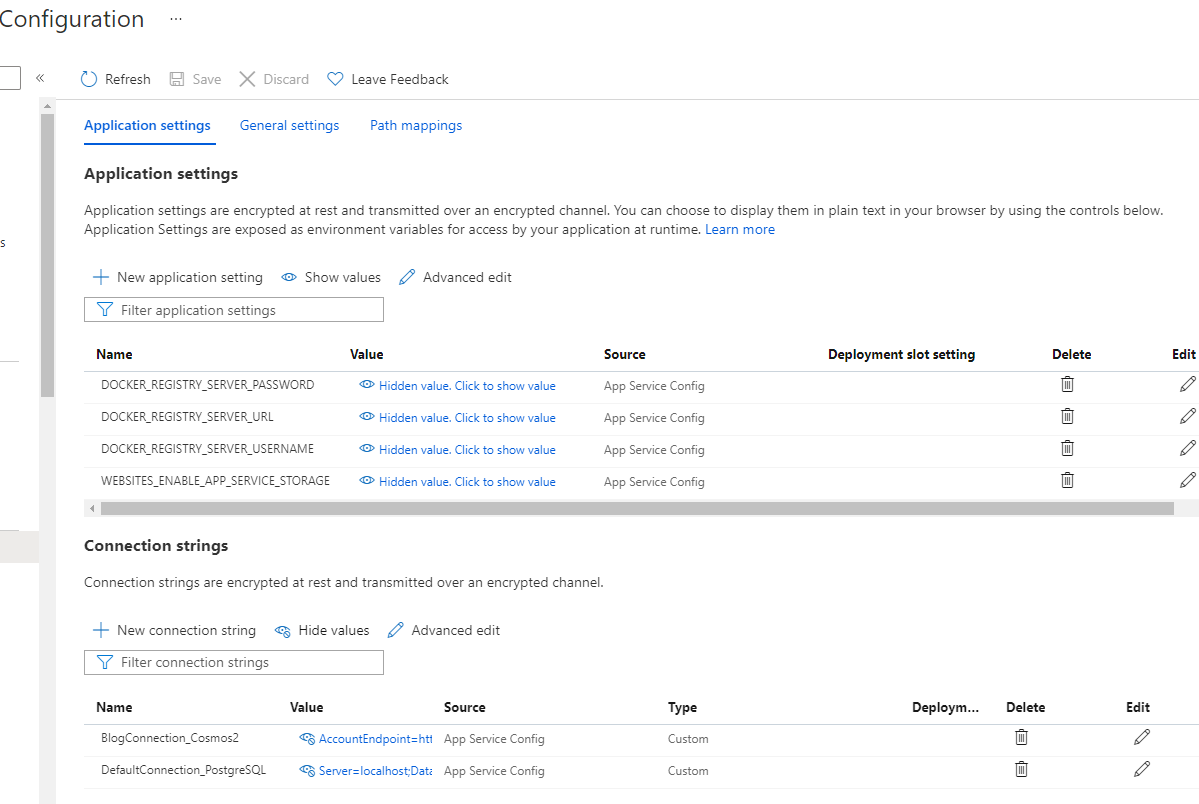
Setup connection strings with provider name and dump connection strings
Setup Azure AppService connection strings use specified provider or custom
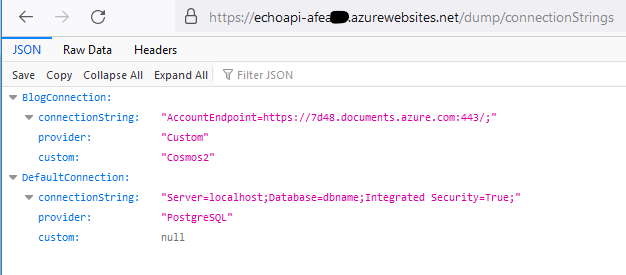
Dump connection strings
https://echoapi-******.azurewebsites.net/dump/connectionStrings
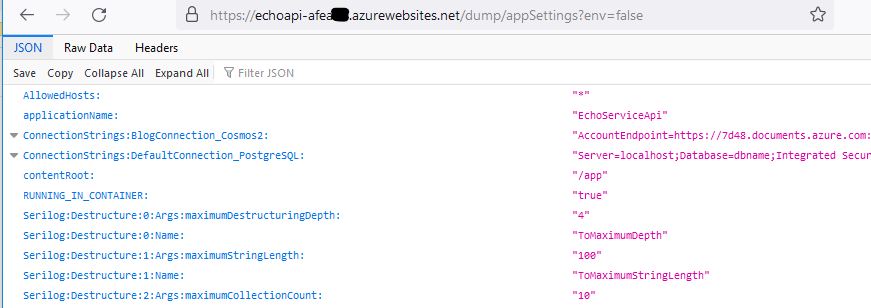
Dump appsettings
https://echoapi-******.azurewebsites.net/dump/appSettings?env=false
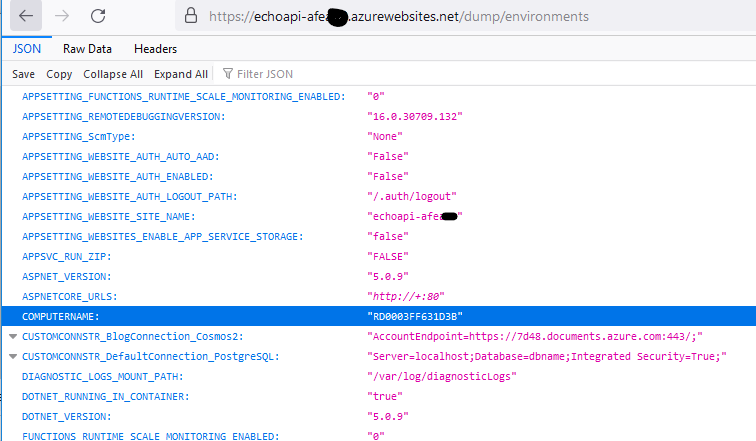
Dump environments
https://echoapi-******.azurewebsites.net/dump/environments
Tag summary
Content type
Image
Digest
sha256:ee759d78d…
Size
156.7 MB
Last updated
over 2 years ago
docker pull thoho/echo-service-api:9.0-0.2.0-rc4-nanoserver-1809