thingsboard/tb-gateway repository overview
ThingsBoard IoT Gateway
The Thingsboard IoT Gateway is an open-source solution that allows you to integrate devices connected to legacy and third-party systems with Thingsboard.
Thingsboard is an open-source IoT platform for data collection, processing, visualization, and device management. See What is Thingsboard? if you are new platform user.
What is ThingsBoard IoT Gateway?
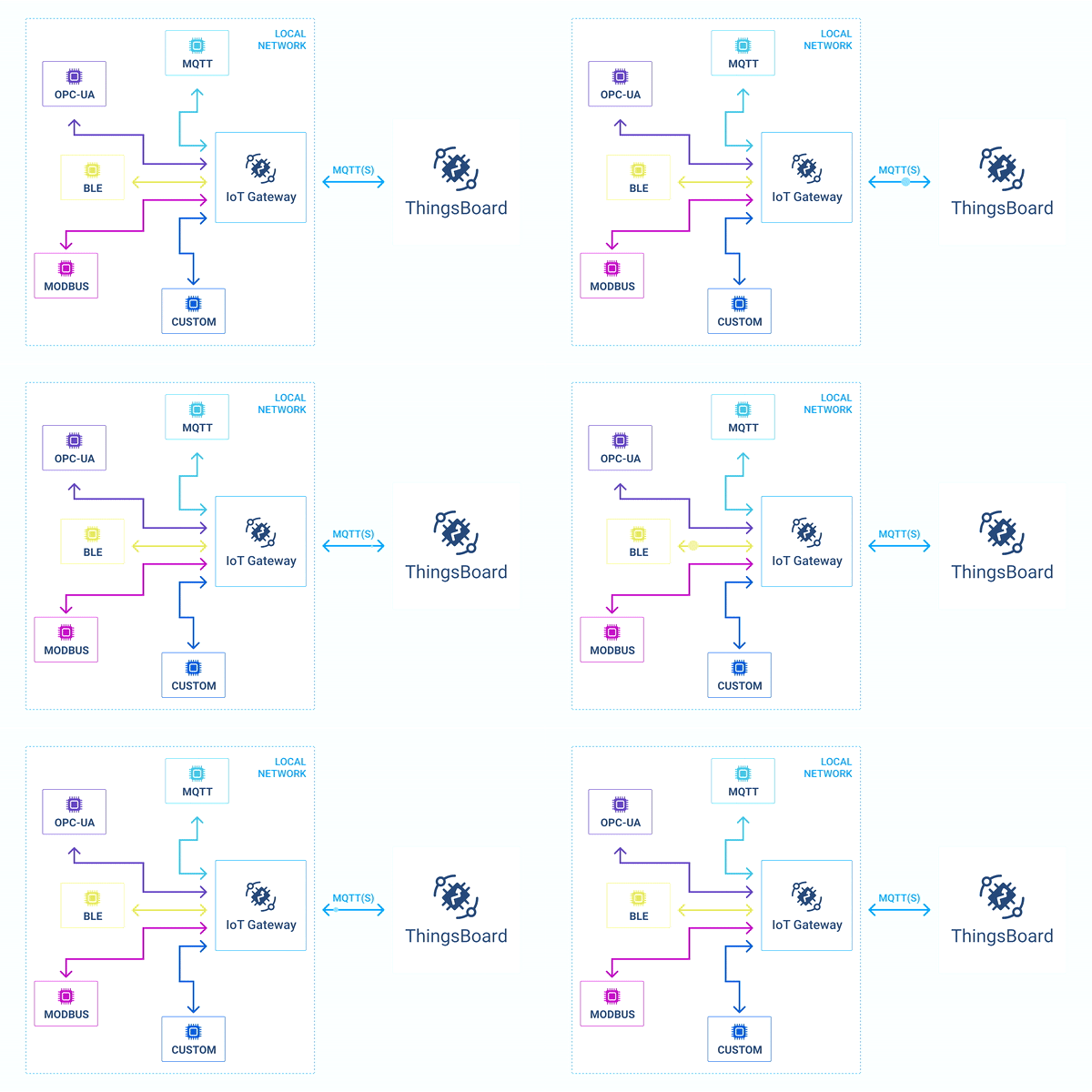
Running
Execute the following commands to run this docker directly:
$ docker volume create tb-gw-config
$ docker volume create tb-gw-logs
$ docker volume create tb-gw-extensions
$ docker run -it -v tb-gw-logs:/var/log/thingsboard-gateway -v tb-gw-extensions:/var/lib/thingsboard_gateway/extensions -v tb-gw-config:/thingsboard_gateway/config -e TB_GW_HOST=thingsboard.cloud -e TB_GW_PORT=1883 -e TB_GW_ACCESS_TOKEN=YOUR_ACCESS_TOKEN --name tb-gateway --restart always thingsboard/tb-gateway
Where:
docker volume create tb-gw-config- creates a newtb-gw-configvolume, which later mounts into containers to persist configuration data.docker volume create tb-gw-logs- creates a newtb-gw-logsvolume.docker volume create tb-gw-extensions- creates a newtb-gw-extensionsvolume.docker run- runs the Gateway container.-it- attaches a terminal session with live Gateway process output.-v tb-gw-logs:/var/log/thingsboard-gateway- mounts a named volume for logs.-v tb-gw-extensions:/var/lib/thingsboard_gateway/extensions- mounts a named volume for extensions.-v tb-gw-config:/thingsboard_gateway/config- mounts a named volume for configs.-e TB_GW_HOST=thingsboard.cloud- sets an environment variable into the container so the Gateway knows which ThingsBoard platform it should connect to.-e TB_GW_PORT=1883- sets an environment variable for ThingsBoard platform port.-e TB_GW_ACCESS_TOKEN=YOUR_ACCESS_TOKEN- sets an environment variable for Gateway device access token.--name tb-gateway- assigns a friendly local name to the container.--restart always- configures automatic restart on reboot or failure.thingsboard/tb-gateway- specifies the Docker image to run.
You can modify environment variables to adjust the gateway’s behaviour and connect it to your preferred ThingsBoard platform or Gateway configuration. Full list of available environment variables you can find here.
Detaching, stop and start commands
You can detach from the session terminal with Ctrl-p Ctrl-q - the container will keep running in the background.
To reattach to the terminal (to see Gateway logs) run:
docker attach tb-gateway
To stop the container:
docker stop tb-gateway
To start the container:
docker start tb-gateway
Gateway configuration
Stop the container:
docker stop tb-gateway
Configure gateway to work with your instance of ThingsBoard, using this guide:
Start the container after made changes:
docker start tb-gateway
Upgrading
In order to update to the latest image, execute the following commands:
$ docker pull thingsboard/tb-gateway
$ docker stop tb-gateway
$ docker rm tb-gateway
$ docker run -it -v tb-gw-logs:/var/log/thingsboard-gateway -v tb-gw-extensions:/var/lib/thingsboard_gateway/extensions -v tb-gw-config:/thingsboard_gateway/config -e TB_GW_HOST=thingsboard.cloud -e TB_GW_PORT=1883 -e TB_GW_ACCESS_TOKEN=YOUR_ACCESS_TOKEN --name tb-gateway --restart always thingsboard/tb-gateway
Tag summary
Content type
Image
Digest
sha256:2d6b6657b…
Size
106.2 MB
Last updated
4 months ago
docker pull thingsboard/tb-gateway:3.8-latest