slatedocs/slate
Beautiful static documentation for your API
100K+
slatedocs/slate repository overview

Slate helps you create beautiful, intelligent, responsive API documentation.
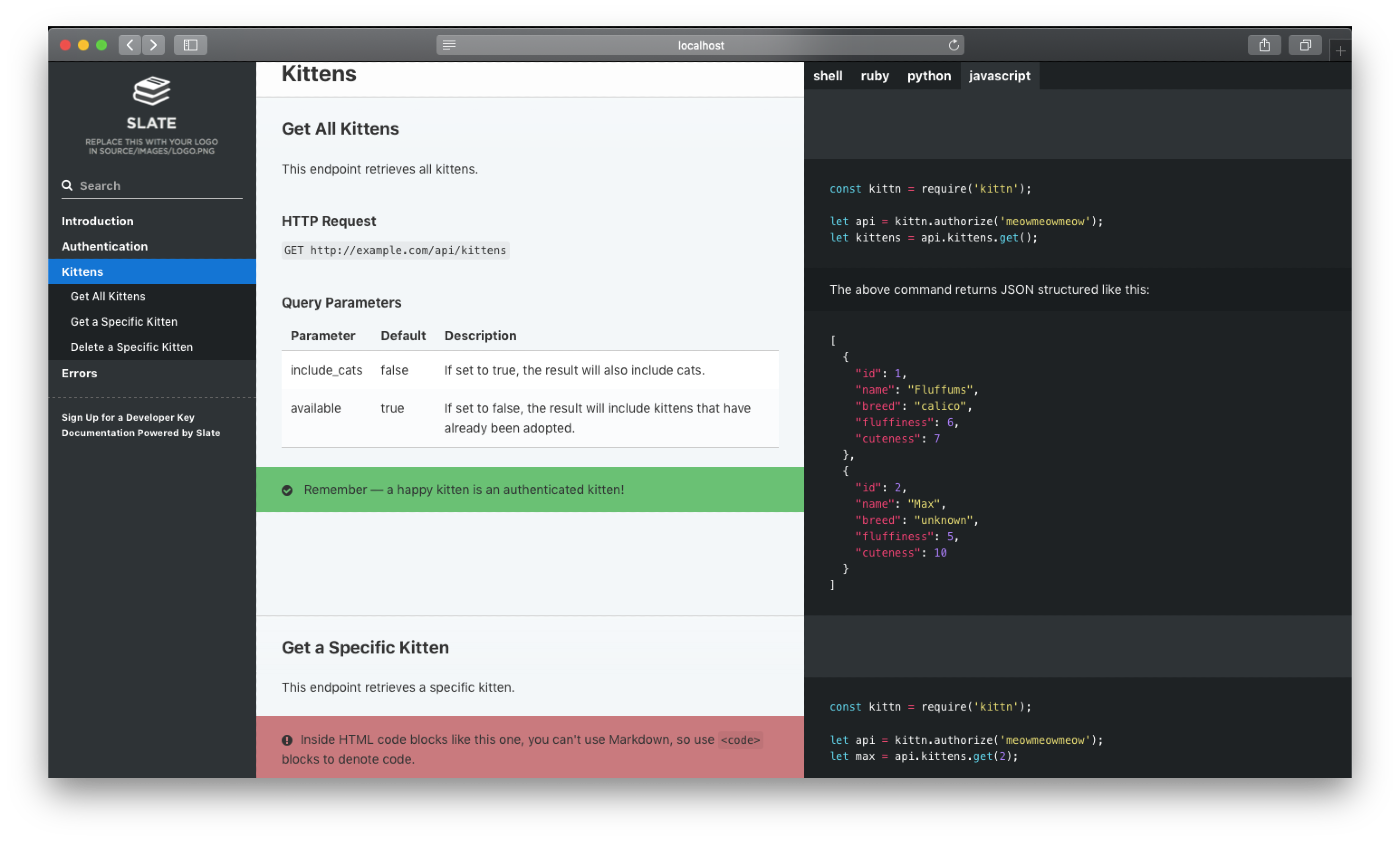
The example above was created with Slate. Check it out at slatedocs.github.io/slate.
Features
-
Clean, intuitive design — With Slate, the description of your API is on the left side of your documentation, and all the code examples are on the right side. Inspired by Stripe's and PayPal's API docs. Slate is responsive, so it looks great on tablets, phones, and even in print.
-
Everything on a single page — Gone are the days when your users had to search through a million pages to find what they wanted. Slate puts the entire documentation on a single page. We haven't sacrificed linkability, though. As you scroll, your browser's hash will update to the nearest header, so linking to a particular point in the documentation is still natural and easy.
-
Slate is just Markdown — When you write docs with Slate, you're just writing Markdown, which makes it simple to edit and understand. Everything is written in Markdown — even the code samples are just Markdown code blocks.
-
Write code samples in multiple languages — If your API has bindings in multiple programming languages, you can easily put in tabs to switch between them. In your document, you'll distinguish different languages by specifying the language name at the top of each code block, just like with GitHub Flavored Markdown.
-
Out-of-the-box syntax highlighting for over 100 languages, no configuration required.
-
Automatic, smoothly scrolling table of contents on the far left of the page. As you scroll, it displays your current position in the document. It's fast, too. We're using Slate at TripIt to build documentation for our new API, where our table of contents has over 180 entries. We've made sure that the performance remains excellent, even for larger documents.
-
Let your users update your documentation for you — By default, your Slate-generated documentation is hosted in a public GitHub repository. Not only does this mean you get free hosting for your docs with GitHub Pages, but it also makes it simple for other developers to make pull requests to your docs if they find typos or other problems. Of course, if you don't want to use GitHub, you're also welcome to host your docs elsewhere.
-
RTL Support Full right-to-left layout for RTL languages such as Arabic, Persian (Farsi), Hebrew etc.
Getting started with Slate is super easy! Simply press the green "use this template" button above and follow the instructions below. Or, if you'd like to check out what Slate is capable of, take a look at the sample docs.
Getting Started with Slate with Docker
Provided in the slate repo is a Dockerfile you can use to run slate using Docker, as well as providing pre-built images on Docker Hub. Docker is similar to Vagrant in that it provides a reproducible, portable development environment using virtualization, however it does not provide a full VM, rather piggy backing off the host, allowing for a slimmer installation profile than Vagrant / full VMs. However, Docker does come with a number of its own terms, and for beginners, we recommend looking at this Glossary to familiarize yourself with some of them.
Dependencies
- Docker, see this page for installing Docker Desktop.
Getting Started
- Fork our repository on GitHub
- Clone your forked repository (not our original one) to your hard drive with
git clone https://github.com/YOURUSERNAME/slate.git cd slate- Grab the slate image (
docker pull slatedocs/slate) or build the docker image for the repository (docker build . -t slatedocs/slate).
Note: If you are using the pre-built images for Slate, you may wish to remove all files other than the source directory from your repository.
Building Slate
To use Docker to just build your site, run:
docker run --rm --name slate -v $(pwd)/build:/srv/slate/build -v $(pwd)/source:/srv/slate/source slatedocs/slate
Running Slate
If you wish to run the development server for Slate to aid in working on the site, run:
docker run --rm --name slate -p 4567:4567 -v $(pwd)/source:/srv/slate/source slatedocs/slate serve
and you will be able to access your site at http://localhost:4567 until you stop the running container process.
Advanced Usage
The provided Docker images contain the full Slate environment and all related files. This means that you may provide as much or as little as you want into the container while utilizing defaults. For example, if you only wanted to include your markdown sources and not overwrite the default JS, CSS, etc. you may wish to use the following mount options:
-v $(pwd)/source/index.html.md:/srv/slate/source/index.html.md -v $(pwd)/source/includes:/srv/slate/source/includes
What Now?
The next step is to learn how to edit source/index.md to change the content of your docs. Once you're done, you might want to think about deploying your docs.
Questions? Need Help? Found a bug?
If you've got questions about setup, deploying, special feature implementation in your fork, or just want to chat with the developer, please feel free to start a thread in our Discussions tab!
Found a bug with upstream Slate? Go ahead and submit an issue. And, of course, feel free to submit pull requests with bug fixes or changes to the dev branch.
Tag summary
Content type
Image
Digest
sha256:94a931a8f…
Size
135.7 MB
Last updated
over 2 years ago
docker pull slatedocs/slate:dev