raulcnadal/applivery-msi-wrapper
This repo hosts Applivery MSI Wrapper image.
301
raulcnadal/applivery-msi-wrapper repository overview
Applivery MSI Wrapper Tool
Overview
The Applivery MSI Wrapper is a containerized, enterprise-ready utility designed to help IT administrators securely and seamlessly convert standard Windows .exe installers into deployable .msi packages.
Built with a React frontend and a FastAPI (Python) backend, the tool goes beyond simple file wrapping. It performs deep static analysis on uploaded executables to verify digital signatures, auto-detect popular installer frameworks (NSIS, Inno Setup, InstallShield, WiX), and route architecture (x86/x64). It automatically suggests the appropriate silent deployment arguments, natively handles Windows restart codes, and can dynamically inject PowerShell/CMD scripts into the deployment sequence.
Admins can use this tool to generate and download the .msi locally, or leverage the built-in API integration to push the packaged application directly to their Applivery UEM Dashboard as Resources for immediate deployment to Windows Policies.
Key Features
- 📦 Automated Wrapping: Converts
.exeto.msinatively on Linux using the WiX toolset backend. - 🛡️ Security Auditing: Automatically verifies digital Authenticode signatures and extracts vendor details before wrapping.
- 🧠 Smart Heuristics: Dual-layer detection (binary headers + filename regex) to auto-detect x86/x64 architecture, installer frameworks, and silent flags.
- ⚙️ Execution Context: Built-in toggle to allow installations in the interactive User Context (Impersonation) instead of the default SYSTEM account.
- 📜 Advanced Scripting Engine: Dynamically inject Pre-Install and Post-Install scripts (CMD, Batch, or PowerShell) directly into the MSI sequence without needing external
.zippayloads. - 👻 Ghost Installation: Automatically hides the wrapper MSI from the Windows "Add/Remove Programs" list (
ARPSYSTEMCOMPONENT=1) to prevent end-users from seeing duplicate application entries. - 🔄 Lifecycle Management: Uses cryptographic hashing (
uuid5) to generate deterministicUpgradeCodes, ensuring future app updates deploy seamlessly via MDM without duplicating installations. - ♻️ Advanced Reboot Handling: Natively maps the standard Windows
3010exit code to a "Pending Reboot" state, preventing false-negative failure reports in your MDM. - ☁️ Applivery Integration: Push wrapped MSIs directly to your Applivery Workspace APIs.
- 📋 Detection Rules: Automatically outputs the
ProductCodeneeded for Applivery Windows Policy detection rules. - 🌙 Modern UI: Clean interface with Dark/Light mode support, perfectly matching native Applivery branding (Outfit font, SF Symbols).
Quick Start
Docker Run
To spin up the container quickly using standard Docker commands:
docker run -d \
  -p 8000:8000 \
  --name applivery-msi-wrapper \
  --restart unless-stopped \
  raulcnadal/applivery-msi-wrapper:1.2
Docker Compose
For environments utilizing Docker Compose, add the following to your docker-compose.yml:
version: '3.8'

services:
  msi-wrapper:
    image: raulcnadal/applivery-msi-wrapper:1.2
    container_name: applivery-msi-wrapper
    ports:
      - "8000:8000"
    restart: unless-stopped
Once running, access the web interface at: http://localhost:8000 (or your server's IP address).
(Note: Replace :1.2 with :latest if you are pulling the rolling release).
Administrator Guide
1. Generating a Local MSI
If you only need to wrap an .exe and download it to your local machine:
- Open the tool in your browser.
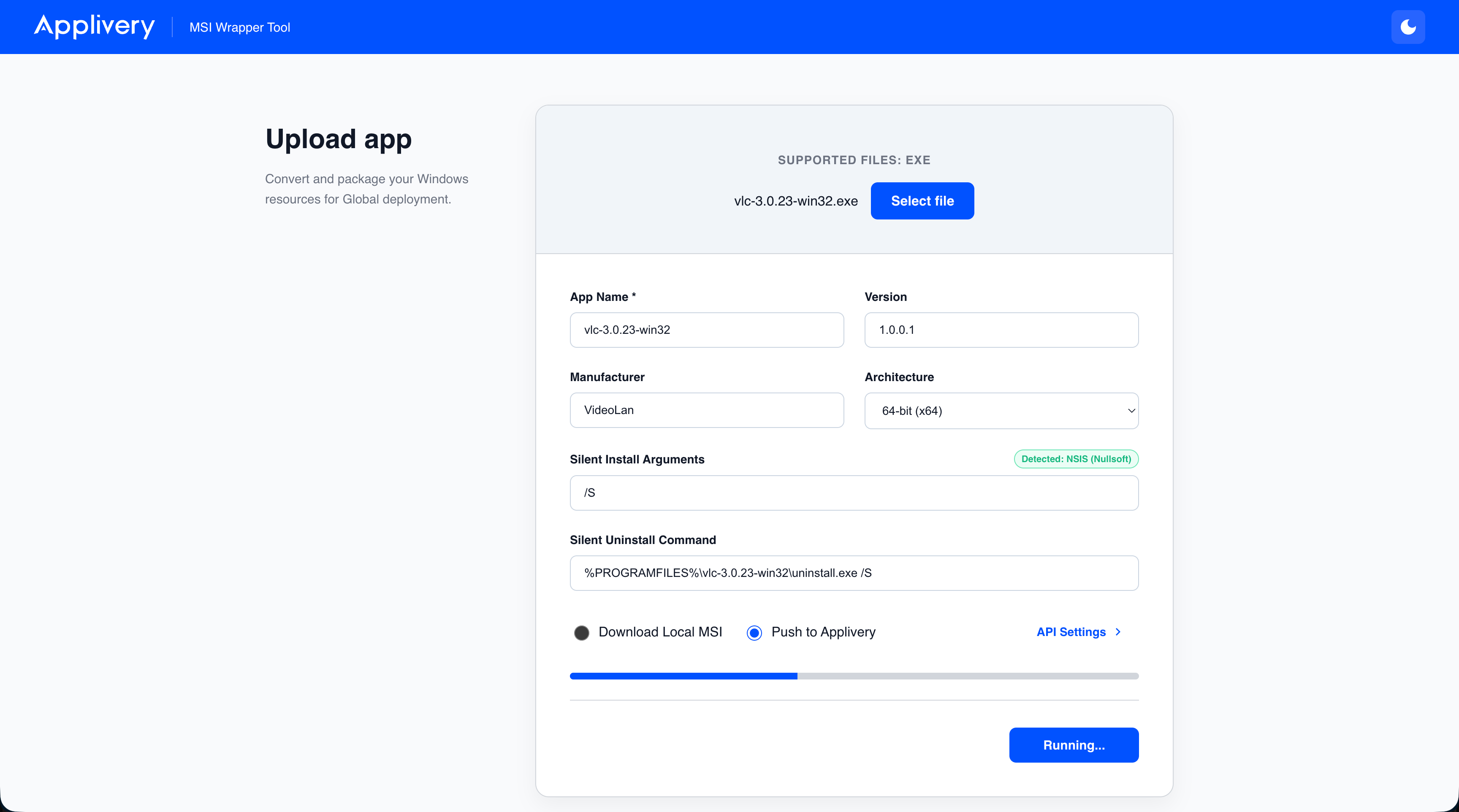
- Click Select File and upload your
.exeinstaller. - The tool will scan the binary.
- A Security Badge (🛡️ or ⚠️) will appear indicating if the file is digitally signed by a verified vendor.
- If it recognizes the installer framework, a green "Detected" pill will appear, and the silent arguments will be filled in automatically.
- The Architecture (32-bit vs 64-bit) will auto-select based on smart heuristics.
- (Optional) Check the Install in User Context (Impersonation) box if the app needs to be installed specifically for the logged-in user rather than globally via the
SYSTEMaccount. - (Optional) Expand the ⚙️ Pre/Post Scripts accordion to write custom CMD or PowerShell scripts that will execute immediately before or after the main payload.
- Ensure "Download Local MSI" is selected.
- Click Generate MSI. The file will compile and download to your machine safely.
2. Pushing Directly to Applivery (UEM)
To bypass manual uploading and push the wrapped application directly to your Applivery dashboard:
- Click API Settings on the bottom right.
- Enter your Workspace Slug (found in your Applivery URL) and a valid Service Account Token.
- Click Verify & Save. (Credentials are securely saved in your browser's local storage and never sent to the backend).
- Upload your
.exeand verify the App Name, Version, and Security status. - Select the "Push to Applivery" radio button.
- Click Wrap & Deploy.
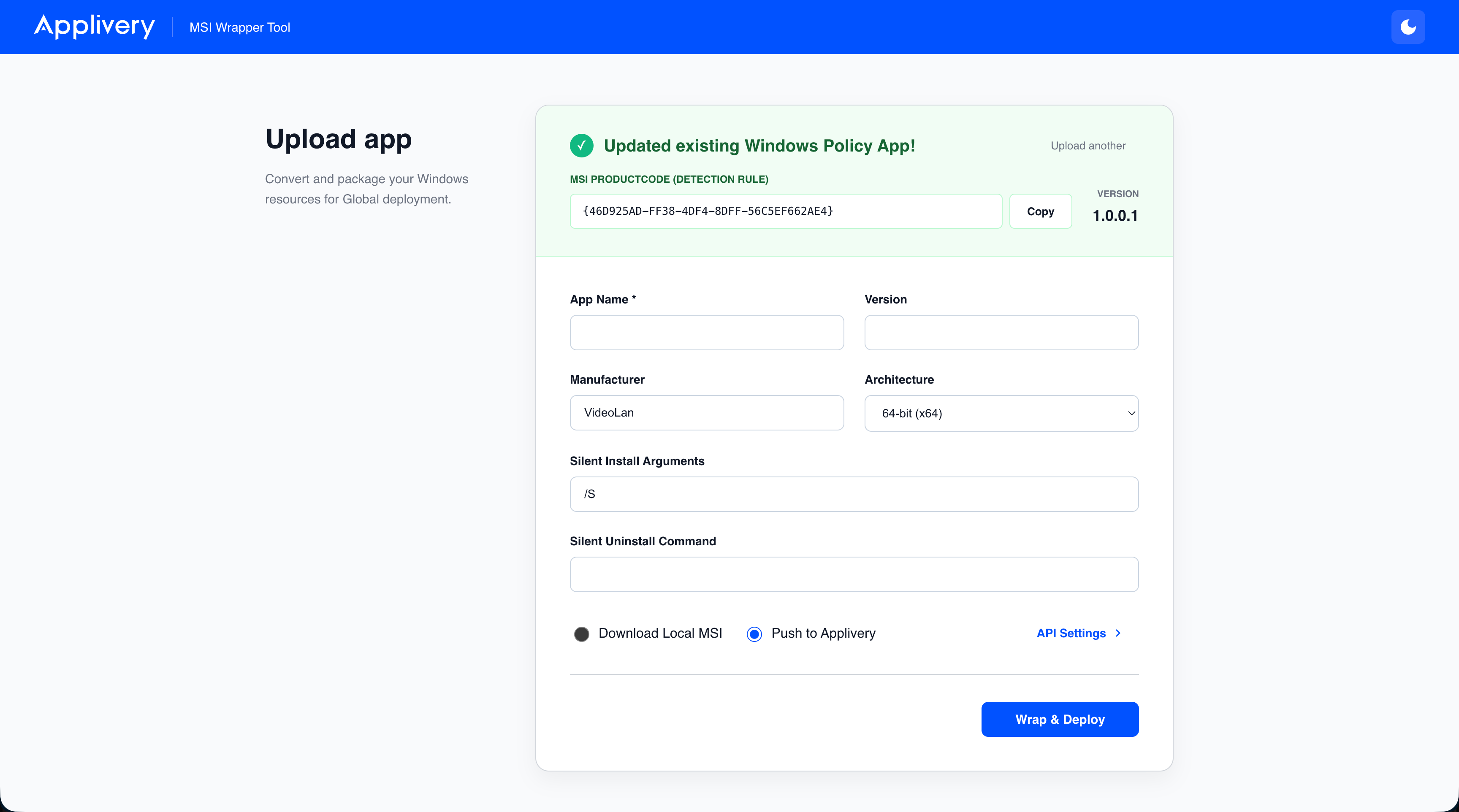
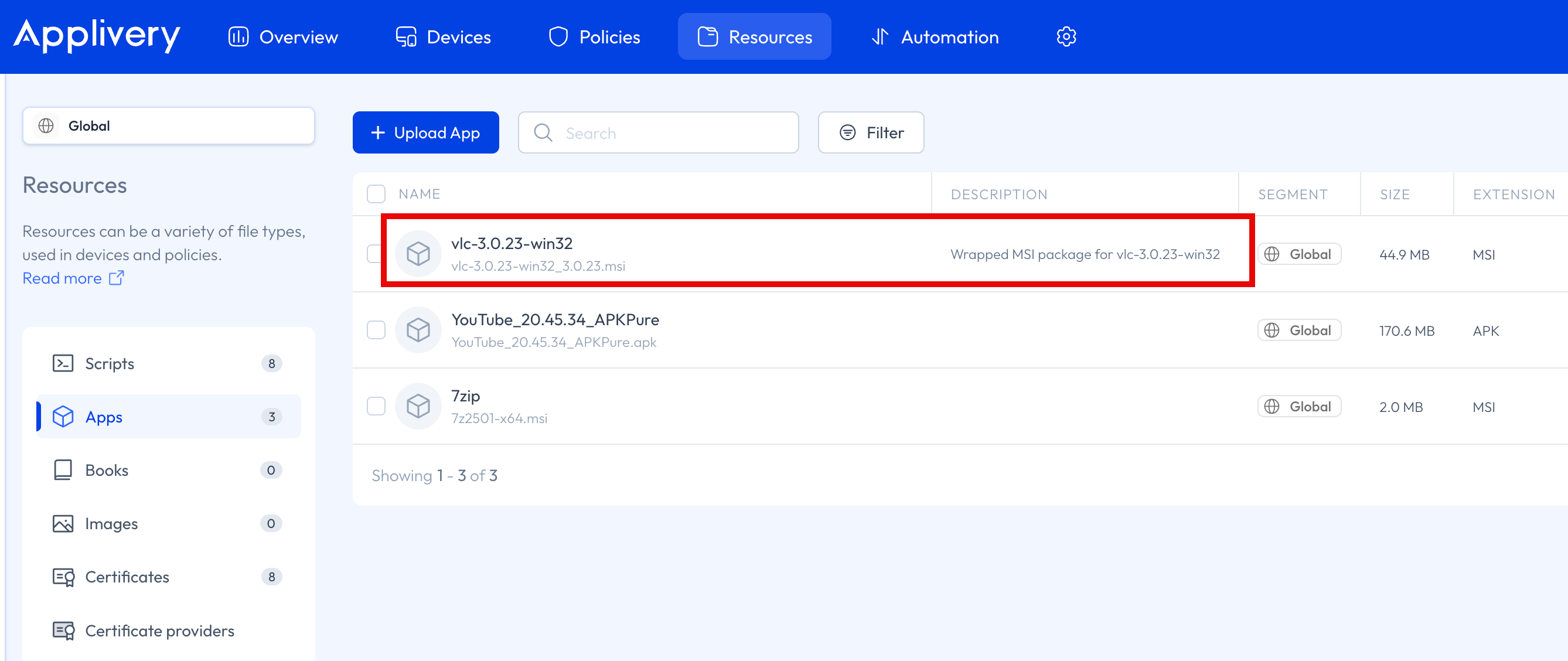
- The tool will compile the MSI, create a new Asset in Applivery, upload the binary, and seamlessly register it as a Windows Policy Application.
3. Setting Up Detection Rules & Lifecycle Management
When a package is successfully wrapped, the Success Panel will display a generated MSI ProductCode (e.g., {A85FE905-FCFB-4505-B873-FBC4AC7E0306}).
- Click Copy.
- Paste this code into the Detection Rule field of your Windows Policy inside the Applivery Dashboard to ensure the MDM agent correctly detects successful installations.
- Updates & Reboots: Because the wrapper engine automatically maps
3010restart codes and generates deterministicUpgradeCodes, you can confidently push future versions of the exact same app, and Applivery will handle the update and restart signaling natively. The wrapper also hides its own entry from the Control Panel to prevent end-user confusion.
Tag summary
Content type
Image
Digest
sha256:67ffba93c…
Size
56.3 MB
Last updated
4 months ago
docker pull raulcnadal/applivery-msi-wrapper