gojue/ecapture
eCapture: Capture SSL/TLS text content without a CA certificate using eBPF. https://ecapture.cc
5.5K
gojue/ecapture repository overview




eCapture(旁观者): capture SSL/TLS text content without a CA certificate using eBPF.
Important
Supports Linux/Android kernel versions x86_64 4.18 and above, **aarch64 5.5** and above. Need ROOT permission. Does not support Windows and macOS system.
Introduction
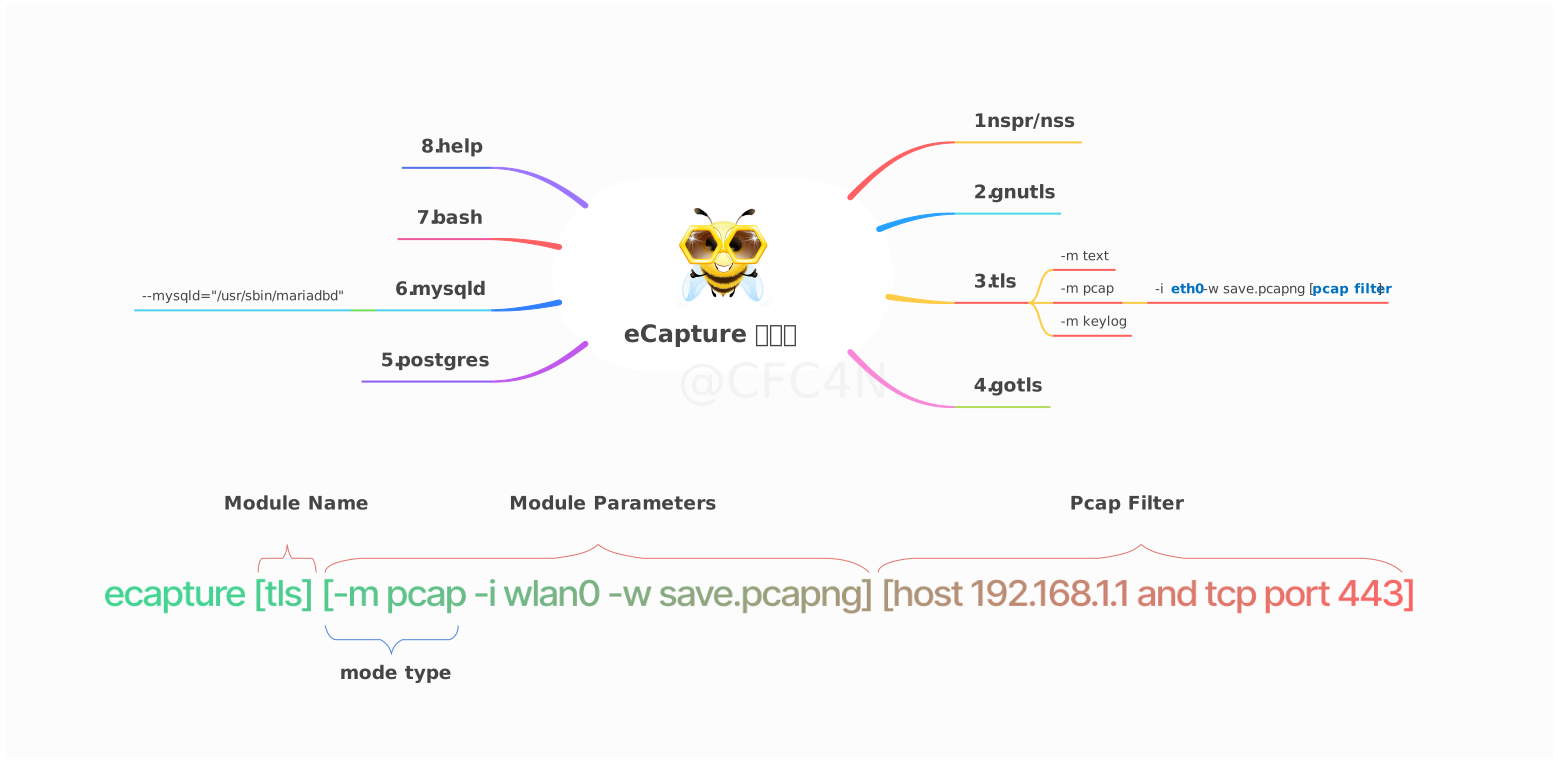
- SSL/TLS plaintext capture, support openssl\libressl\boringssl\gnutls\nspr(nss) libraries.
- GoTLS plaintext support go tls library, which refers to encrypted communication in https/tls programs written in the golang language.
- bash audit, capture bash command for Host Security Audit.
- MySQL query SQL audit, support mysqld 5.6\5.7\8.0, and MariaDB.
Getting started
This Docker image provides an easy way to use ecapture, a powerful tool for capturing SSL/TLS plaintext data directly from Linux or Android systems without requiring a CA certificate. With ecapture, you can collect decrypted HTTPS traffic in real time for security analysis, debugging, or auditing.
Key Features & Use Cases:
- Capture SSL/TLS plaintext: Intercept and analyze encrypted web traffic from applications without modifying system configurations or installing CA certificates.
- Suitable for Security Monitoring: Essential for penetration testing, incident investigation, or network auditing in production, testing, or development environments.
- Broad Environment Support: Works on Linux and Android devices with amd64 (x86_64) or arm64 architectures.
- Easy Deployment: The prebuilt Docker image allows for quick setup across various systems without the need to compile or install dependencies manually.
How to Use:
-
Pull the Image
docker pull gojue/ecapture:latest -
Run ecapture via Docker
Grant necessary privileges (ecapture requires privileged mode and access to host network for full functionality):docker run --rm -it \ --privileged \ --net=host \ -v /lib/modules:/lib/modules:ro \ -v /usr/src:/usr/src:ro \ gojue/ecapture \ [ecapture options]Replace
[ecapture options]with ecapture’s command-line arguments, such astlsfor HTTPS or see the README for more. -
Example:
To monitor SSL/TLS traffic for a given process or port, refer to usage examples in the eCapture Trobleshooting.
Requirements & Notices:
- The container must run with
--privilegedand--net=hostoptions. - The host system requires Linux (kernel 4.18+ recommended) and support for eBPF.
- Not recommended for shared or production environments without understanding security implications.
More Information:
For advanced configuration, detailed options, and source code, please visit the GitHub repository.
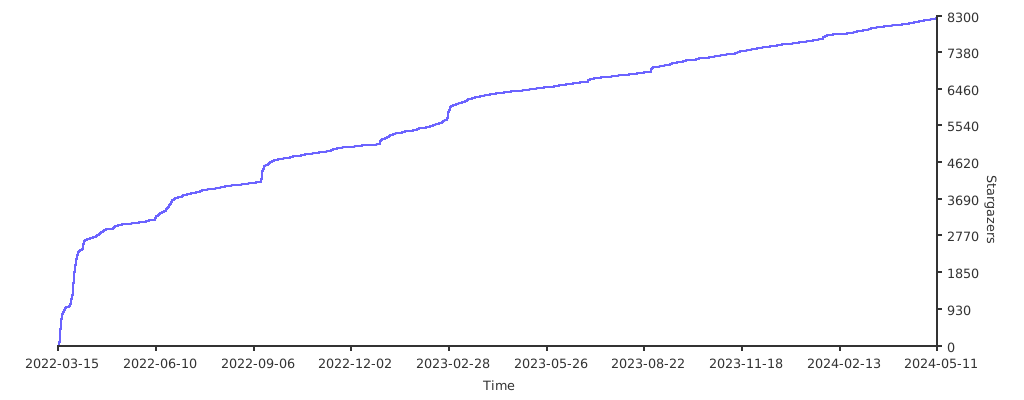
Stargazers over time
Tag summary
Content type
Buildkit_cache
Digest
sha256:127578814…
Size
1.7 GB
Last updated
8 days ago
docker pull gojue/ecapture:buildcache