dockette/nginx
Nginx SSL / HSTS / HTTP2
10K+
dockette/nginx repository overview
Nginx
Nginx with SSL / HSTS and HTTP2 module.


Discussion / Help

Default
Without any volumes Nginx listen IPv4 and IPv6 on both ports 80/443 and serve 444 No content.
Usage
docker run \
    -p 80:80 \
    -p 443:433 \
    -v /path/to/site:/etc/nginx/sites.d/site \
    --name nginx \
    dockette/nginx:latest
Configuration
There are 2 main files:
Diffie-Hellman files:
Modules:
- nginx-module-xslt
- nginx-module-geoip
- nginx-module-image-filter
- nginx-module-njs
Http config
There are many files in /etc/nginx/conf.d.
These files are loaded manully in the main http section. You can extend only part of these files which you need.
Please do not place your custom configurations to this folder. There is a folder /etc/nginx/user.conf.d for this reason.
Take a look at nginx.conf.
Sites
Sites are loaded from folder /etc/nginx/sites.d.
There are 2 sites predefined:
The default returns http code 444 for every requests, it's marked as default_server.
And the example site.
Sites config
For little fragments shared accross sites you can use folder /etc/nginx/site.conf.d.
User config
Your custom global http section configuration, /etc/nginx/user.conf.d. These files are loaded automatic from http section.
Take a look at nginx.conf.
SSL
By default nginx uses 2048 bits dhparam cypher. There is also 4096 bits pregenerated file.
This approach is for developing, for your stagging / production, please generate your own dhparam.
Tip
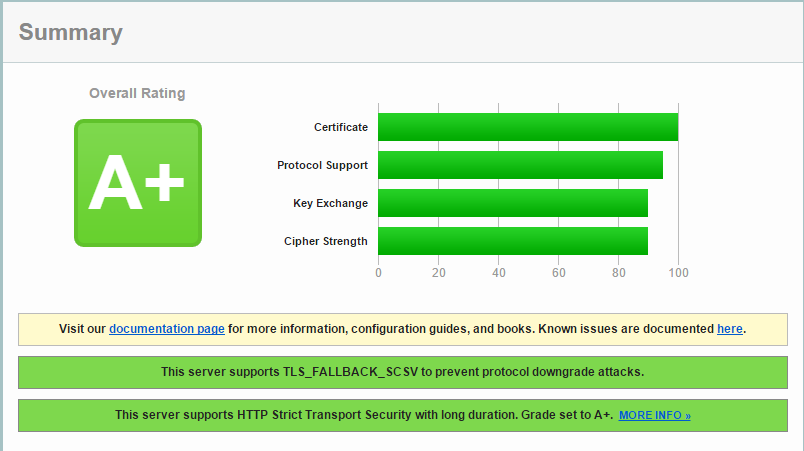
You should have A+ on SSL Server Test.
Tag summary
Content type
Image
Digest
Size
81.4 MB
Last updated
over 5 years ago
docker pull dockette/nginxThis week's pulls
Pulls:
116
Last week