cibrandocampo/ovh-dyndns-client
DynDNS Client for OVH
6.0K
cibrandocampo/ovh-dyndns-client repository overview
DynDNS Client for OVH






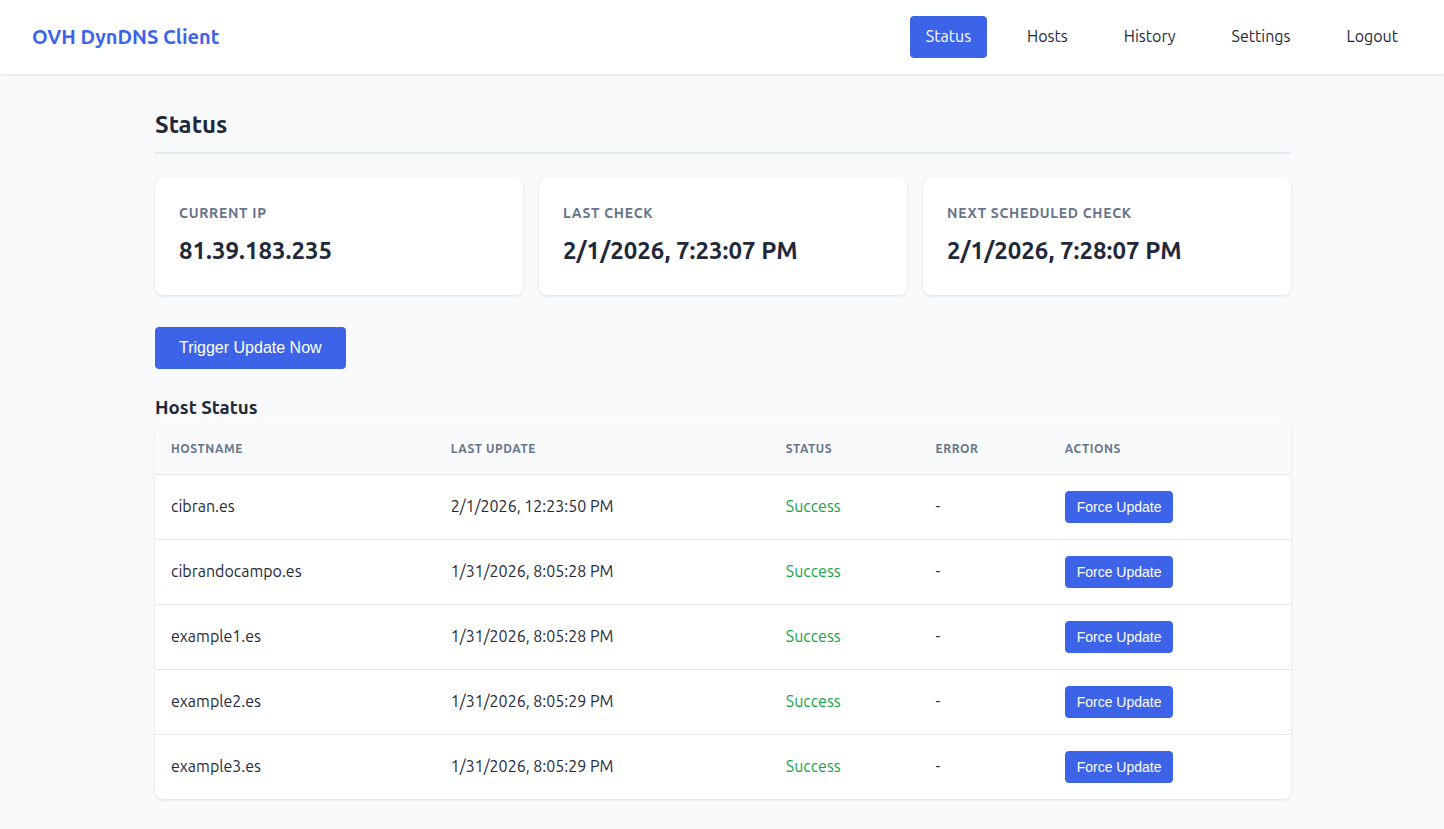
Your IP changes. Your domains shouldn't. Point your OVH domains to a dynamic IP and forget about it — one container, no external dependencies, your server, your rules.
See the project site →
Product tour, features, screenshots and self-host walkthrough
Important
**Coming from v4.x.x or earlier? Read this before upgrading.**v5.0.0 makes
./dataload-bearing: a newdata/.encryption_key(auto-generated on first boot) protects every OVH password stored in the database. If you lose this file, those credentials become permanently unrecoverable. Back up./dataimmediately after the first restart on v5.0.0, and on a regular schedule after that.The upgrade itself is zero-touch —
docker compose pull && up -dis enough. Other new behaviours to be aware of: the defaultadmin/adminpassword change is now server-enforced, and/api/auth/*is rate-limited per IP.
A closer look — How it works?
Hosts — one entry per domain record
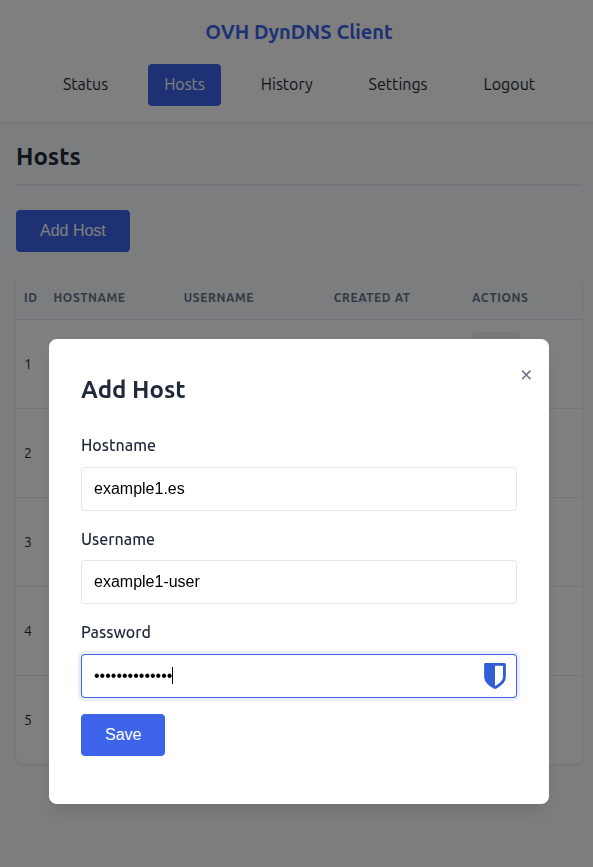
Each host corresponds to a DynHost entry in your OVH control panel. Add as many as you need — subdomains, multiple domains, different zones — each with its own OVH credentials. The client updates them all in parallel on every IP change.
Creating a host takes seconds: hostname, OVH username, and password. That is all the client needs to keep the record in sync. Hosts can be edited or removed at any time without restarting the service.
Settings — tune the behaviour without touching a config file
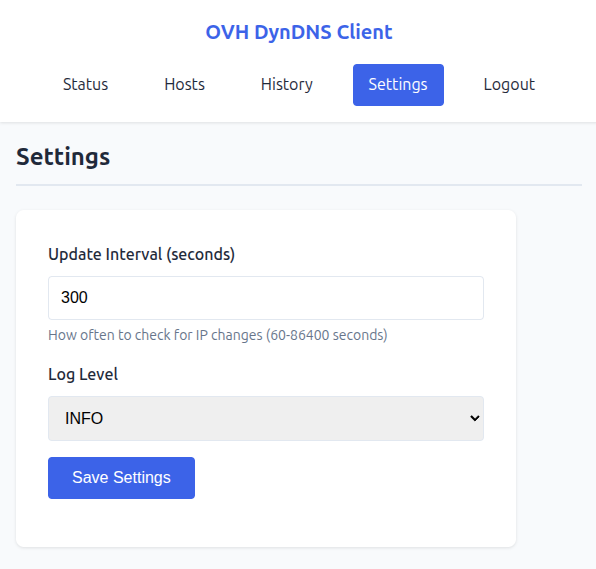
The check interval can be adjusted from the web interface at any time — no restart, no editing environment variables. Lower the interval if your IP changes frequently; raise it if you want to reduce external API calls.
Log verbosity is controlled by the LOGGER_LEVEL environment variable (DEBUG, INFO, WARNING, ERROR, CRITICAL; default INFO).
Features
- Web Interface — Manage hosts, view status and history from a browser
- REST API — Full-featured API with JWT authentication
- SQLite Database — Persistent storage, no external dependencies
- Auto-updates — Detects IP changes and updates DNS records automatically
- Auto-retry — Failed updates are retried on the next cycle
- Docker-ready — Multi-architecture support (amd64, arm64, arm/v7)
Quick Start
- Create
docker-compose.yaml:
services:
  ovh-dyndns-client:
    image: cibrandocampo/ovh-dyndns-client:${DOCKER_OVH_VERSION:-stable}
    container_name: "${PROJECT_NAME:-ovh-dyndns-client}"
    init: true
    restart: unless-stopped
    env_file:
      - .env
    ports:
      - "${API_PORT:-8000}:${API_PORT:-8000}"
    volumes:
      - ovh-dyndns-data:/app/data
    healthcheck:
      test: ["CMD", "wget", "--quiet", "--tries=1", "--spider", "http://localhost:${API_PORT:-8000}/health"]
      interval: 30s
      timeout: 10s
      retries: 3
      start_period: 40s

volumes:
  ovh-dyndns-data:
    driver: local
    driver_opts:
      type: "none"
      o: "bind"
      device: "${DATA_PATH:-./data}"
- Create
.envand data directory:
touch .env
mkdir -p data
All variables have defaults — .env can stay empty or be used to override them (see docs/CONFIGURATION.md).
- Run:
docker compose up -d
- Access: Open http://localhost:8000
Default credentials: admin / admin (password change required on first login)
Quality
Every change goes through a CI pipeline (GitHub Actions) with no shortcuts:
- Lint: ruff check — enforces code style and catches common errors
- Format: ruff format — consistent formatting across the codebase
- Tests: pytest with a minimum 90% coverage gate enforced in CI
The Codecov badge at the top of this page reflects the current state.
Docker images
Pre-built multi-arch images (linux/amd64, linux/arm64, linux/arm/v7) are published to Docker Hub automatically.
| Tag | When |
|---|---|
latest | Every push to main |
stable + vX.Y.Z | On GitHub release |
Images are also rebuilt weekly to pick up base-image and dependency security patches.
Advanced configuration
For most self-hosted deployments the defaults are fine — skip this section unless you have a specific need.
On first boot the container auto-generates two secrets and persists them under data/ with mode 0600:
| File | Purpose |
|---|---|
data/.jwt_secret | Signs JWT access tokens |
data/.encryption_key | Fernet key that encrypts OVH passwords at rest |
Because the database and its secrets live in the same data/ volume, migrating or backing up the deployment means copying that directory — the secrets travel with the data automatically.
You can pin either secret via environment variable if you need to:
# Fix the JWT signing key — useful when running multiple replicas or
# when you want an explicit key backup outside the data directory.
JWT_SECRET=<your-32-byte-url-safe-string>

# Fix the encryption key — CRITICAL: if you set this, keep a copy.
# Losing the key with encrypted hosts in the database makes those
# credentials permanently unrecoverable.
ENCRYPTION_KEY=<your-44-byte-base64-fernet-key>
The env var always takes precedence over the persisted file.
Documentation
- API Reference — REST API endpoints and examples
- Configuration — Environment variables and settings
- Development — Architecture, dev setup, and Claude Code workflow
Development
The development environment runs entirely inside Docker — no Python on the host. See docs/DEVELOPMENT.md for the full setup, including how to run tests, linters, and install the pre-commit hook.
Built with Claude Code
This project is developed with Claude Code, Anthropic's AI coding assistant. Custom skills and commands are provided in .claude/ to maintain project conventions and support a structured dev workflow. See docs/DEVELOPMENT.md for details.
Links
- Project website — Marketing landing with screenshots and self-host walkthrough
- GitHub Repository
- Docker Hub
- OVH DynHost Documentation
Support
- Issues: GitHub Issues
- Email: [email protected]
License
Released under the MIT License © 2022 Cibrán Docampo Piñeiro.
You are free to use, modify, distribute, and self-host this software — personally or commercially — as long as the original copyright notice is preserved. No warranty is provided.
Tag summary
Content type
Image
Digest
sha256:8a3177618…
Size
56 MB
Last updated
7 days ago
docker pull cibrandocampo/ovh-dyndns-client