baculaweb/bacula-web
Open source web based reporting and monitoring tool for Bacula
50K+
baculaweb/bacula-web repository overview
Bacula-Web
What is Bacula-Web ?

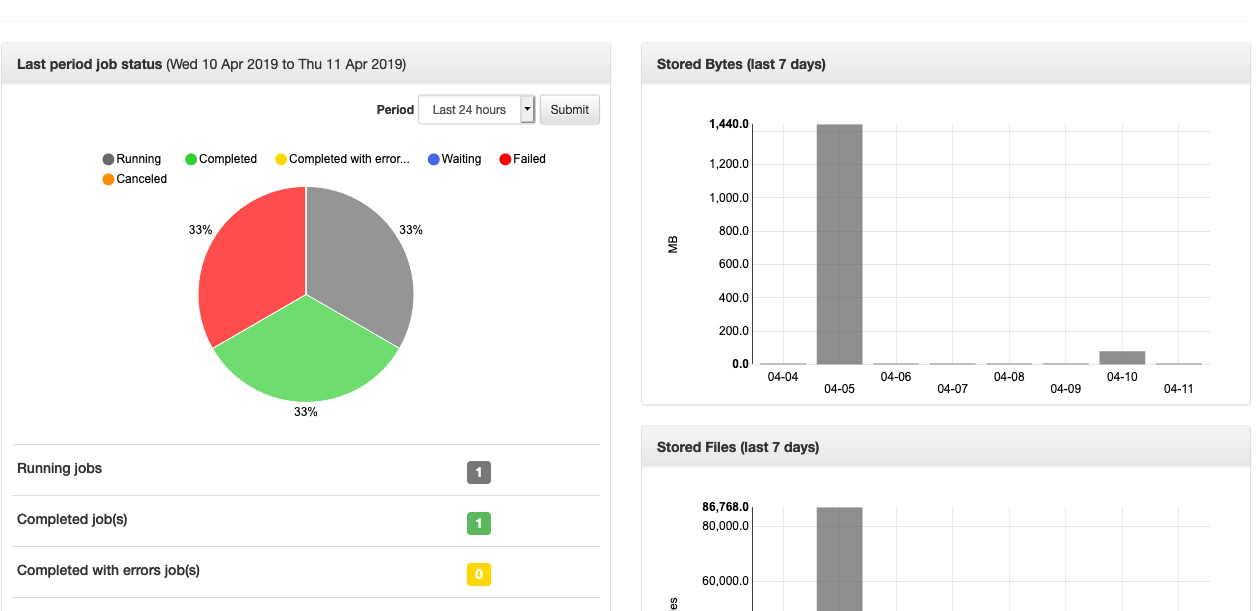
Bacula-Web is a web based reporting and monitoring tool which provides you useful information about your Bacula backup infrastructure like jobs, pools, volumes, jobs logs, clients and backup jobs reports and even more …
License
Bacula-Web is released under the terms of GNU general public license version 2 (aka GPLv2)
Read the LICENSE for more details
Available tags
| tag | description |
|---|---|
latest | Latest release |
nightly-9.x | Nightly build from branch dev-9.x |
v<version> | Released version (example: v9.9.0) |
Supported architectures
- linux/amd64
- linux/arm64
How to use this Docker image
Prepare the configuration
Create a folder
mkdir ~/bacula-web
cd bacula-web
Download default config (or use yours if you've already installed Bacula-Web somewhere else)
curl -L https://raw.githubusercontent.com/bacula-web/bacula-web/master/application/config/config.php.sample > config.php
Configure Bacula director catalog database
Configure at least one Bacula director database connection to the 'config.php` file and update the other settings if needed.
For more details, refer to the General Configuration or Bacula Catalog Database Connection sections.
Setup user authentication database
You need to set up the database which will host users sensitive information such as username, password, etc.
Run this command which will create the first user (more user can be created using the web UI later)
mkdir protected
docker run --rm -it -u www-data \
  -v $PWD/protected:/var/www/html/application/assets/protected \
  baculaweb/bacula-web:latest php bwc setupauth
Create a docker-compose.yml with the content below.
services:
  bacula-web:
    image: baculaweb/bacula-web:latest
    container_name: "bacula-web"
    restart: unless-stopped
    ports:
      - "8080:80"
    volumes:
      - ${PWD}/config.php:/var/www/html/application/config/config.php
      - ${PWD}/protected:/var/www/html/application/assets/protected
and run
docker-compose up -d
If you've followed the above instructions, Bacula-Web should be available using your web browser at http://localhost:8080
Troubleshoot
Check the container logs
docker-compose logs -f --tail 50
Further reading
For more instructions, please read the Docker install page.
Support
Create an issue on Bacula-Web GitHub issues or ask a question using GitHub discussions
Source
Bacula-Web source code is publicly available using the link below
https://github.com/bacula-web/bacula-web
Maintainers
Tag summary
Content type
Image
Digest
sha256:82b4d76a3…
Size
268.1 MB
Last updated
about 8 hours ago
docker pull baculaweb/bacula-web:nightly-10.xThis week's pulls
Pulls:
554
Jul 6 to Jul 12